WRITE FOR US
ItsEasyTech
  • Social Media
    • FacebookFacebook
    • SnapchatSnapchat
    Social Media
    We ItsEasyTech will cover social media guides, tips, and how-tos here. Our content is 100% original and based on in-depth research covering Facebook to TikTok…
    Show More
    Top News
    You to subs
    How to Boost Instagram with You to subs?
    June 19, 2023
    How Gyre Helps You To Grow Your YouTube Channel Automatically
    November 26, 2025
    YouTube Music
    How To Play Youtube Music In Background Without Premium
    April 11, 2026
    Latest News
    How to Record a WhatsApp Call on Android & iOS
    April 20, 2026
    How to Remove Followers on Twitter (X) Easily
    April 19, 2026
    Does Facebook Notify When You Save a Photo?
    April 14, 2026
    How to See Deleted Messages in Discord (3 Easy Methods)
    February 3, 2026
  • How To
    How ToShow More
    how do you earn pokecoins on pokemon go
    How Do You Earn PokéCoins on Pokémon GO? Easy Guide
    April 25, 2026
    How to create a Man in Infinite Craft
    How To Create a Man in Infinite Craft
    April 23, 2026
    How To Make Smooth Stone Slabs in Minecraft
    How To Make Smooth Stone Slabs in Minecraft
    April 23, 2026
    How to Record a WhatsApp Call on Android & iOS
    How to Record a WhatsApp Call on Android & iOS
    April 20, 2026
    how to remove the followers in twitter X
    How to Remove Followers on Twitter (X) Easily
    April 19, 2026
  • Reviews
    ReviewsShow More
    The Best Adobe Photoshop Alternatives
    The Best Adobe Photoshop Alternatives That Don’t Slow Your PC
    July 30, 2025
    Protect Your Privacy: The Case for Anonymous Hosting 
    December 11, 2024
    Plaud Note Review Is This the Best Voice Recorder
    Plaud Note Review: Is This the Best Voice Recorder?
    July 15, 2024
    Forerunner 165 review
    Forerunner 165 Review: Garmin’S Budget OLED Running Watch
    March 4, 2024
    best ufo movies to watch
    The UFO Movies to Put on Your Must-Watch List Today
    October 30, 2023
  • Tech Updates
    Tech UpdatesShow More
    How to Survive in the Age of Interface Abundance
    A Diet for the Neocortex: How to Survive in the Age of Interface Abundance
    May 18, 2026
    The Best Goal Tracking Apps and Software for Teams
    The Best Goal Tracking Apps and Software for Teams in 2026
    May 16, 2026
    How EV Route Planner Transforms Operations
    How EV Route Planner Transforms Operations
    April 28, 2026
    5 Best Apple Carplay Apps To Use
    5 Best Apple Carplay Apps To Use in 2026
    April 20, 2026
    Why Commercial Printers Still Matter for Business
    Why Commercial Printers Still Matter for Business
    April 19, 2026
  • Business
    • Cryptocurrency
    Business
    Get the latest news and insights from the world of digital currencies, and stay informed about the financial markets with our easy-to-use tools.
    Show More
    Top News
    Tech Problems solutions for remote workers
    5 Tech Problems / Solutions For Remote Workers
    May 18, 2023
    All crypto events in one place Why waste time subscribing to multiple sources
    All crypto events in one place: Why waste time subscribing to multiple sources?
    April 22, 2025
    sparrow wallet
    Become the owner of the most promising wallet with Sparrow Crypto Wallet!
    January 12, 2024
    Latest News
    A Diet for the Neocortex: How to Survive in the Age of Interface Abundance
    May 18, 2026
    How to Help Your Sales Team Close Deals Faster
    May 9, 2026
    How Leveraging Ba Insight vs Shelfio Enhances Business Efficiency?
    May 6, 2026
    The Ceasefire the Market Did Not See: Why the Polymarket Dispute Could Become a Precedent for the Entire Industry
    April 29, 2026
ItsEasyTechItsEasyTech
Font ResizerAa
Search
Follow US
© Foxiz News Network. Ruby Design Company. All Rights Reserved.
ItsEasyTech > How To > How To Cancel Philo Subscription
How To

How To Cancel Philo Subscription

Alex Marz
Last updated: January 25, 2023 12:19 am
Alex Marz
Share
8 Min Read
How To cancel Your Philo Subscription
SHARE

You can cancel your Philo subscription if you no longer feel like it’s the right service for you.

We’ve included multiple ways to cancel your Philo account. However, the web browser version is a good place to start since it’s an option available to all users, regardless of what devices you use.

Contents
  • About Philo
  • Is Philo Easy To Cancel?
  • Why should you cancel your Philo Subscription?
  • How To Cancel Philo on a Desktop/Browser
    • 1. Open Philo Website and Login
    • 2. Click on User Icon (A Smiley Icon)
    • 3. Navigate to the “Accounts” Tab
    • 4. Click on “Cancel my account”
    • 5. Reconfirm Your Cancellation
  • How To Cancel Philo on Your iPhone 
  • How To Cancel Philo Subscription on Amazon Fire TV
  • How to cancel Philo on Roku
  • Conclusion
  • Further Reading

Since you plan to cancel Philo, there are other alternatives you can consider.

Regardless, by the time you’re done reading this article, you’ll understand why and how to cancel your Philo account.

  • Is Philo Easy To Cancel?
  • Why should you cancel your Philo Subscription?
  • How To Cancel Philo on a Desktop/Browser
  • How To Cancel Philo on Your iPhone 
  • How To Cancel Philo Subscription on Amazon Fire TV
  • How to cancel Philo on Roku

About Philo

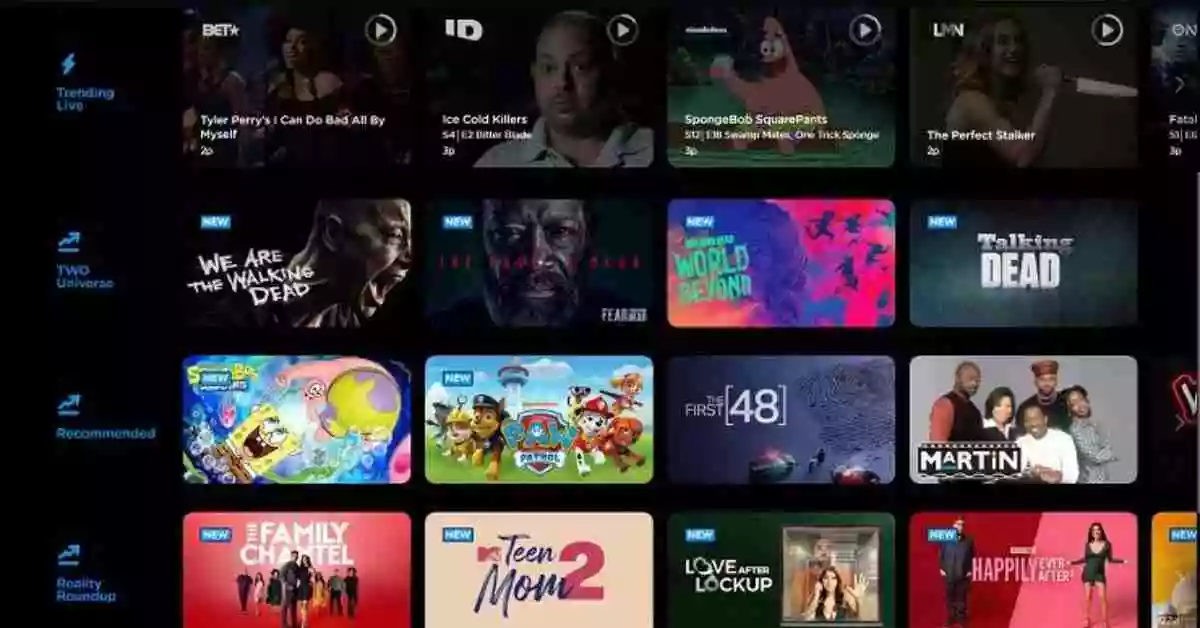
Philo is a live TV streaming service that gives you access to over 65 live channels for just $25 per month.

The channel lineup of Philo includes Comedy Central, Discovery, Food Network, Nickelodeon, and more.

This is less than half the price of some of the best cable TV alternatives, such as YouTube TV and Hulu with Live TV.

However, that low price comes with a catch, as some of the most popular cable TV channels are unavailable.

Base Price$25
Channels Supported65
Free Trial7 Days
Best ForA streamer who doesn’t require live sports or local channels
Supported Streaming DevicesRoku, Amazon Fire, Chromecast, Apple TV, Smart TVs, and More

Is Philo Easy To Cancel?

Yes, it is very easy to cancel your Philo subscription regardless of what platform you subscribed to.

Philo is available on Roku, Amazon Fire, Chromecast, Apple TV, Smart TVs, and many others, and you can easily cancel your account with just a few taps. 

If you cancel your Philo subscription, you can move on to bigger and better things.

As an example, Disney+ offers exclusive, high-grade on-demand content, and you can cancel Disney+ as easily as you canceled Philo.

Why should you cancel your Philo Subscription?

Obviously, this is a very subjective question and might differ from person to person, but here are a few reasons why you might want to cancel your Philo subscription:

1. You can access over 65 popular broadcast and cable channels for $25 per month with a Philo subscription. There is no contract or cable box to use, and you can view live and on-demand content on your television, phone, tablet, or computer. However, Philo has no sports channel and a few of the most popular channels that people might want to watch. 

2. You can only stream to three devices at a time with Philo. For example, two people could stream on two TVs at home, and a third could watch from a smartphone!

3. There is an issue with delayed broadcasting and lags and errors on some devices, which is why people always opt for Philo alternatives.

4. Many other alternatives to Philo exist, with better standards and meeting viewer needs, which might account for the decision to cancel Philo. 

How To Cancel Philo on a Desktop/Browser

You can cancel Philo on your Desktop or through a Browser by following these simple steps.

Philo Desktop Browser

1. Open Philo Website and Login

You need to visit Philo’s official website and log in with your credentials to get started. 

You can then proceed to the next step to cancel your Philo subscription.

2. Click on User Icon (A Smiley Icon)

After logging into your Philo account, click on the user icon.

The user icon is a smiley face located at the top-right corner of the screen. 

3. Navigate to the “Accounts” Tab

Once you click on the User icon, you’ll see several tabs.

Among the tabs are Settings, Accounts, Referrals, Switch Profile, and Sign out.

Select “Accounts” from those tabs to see available options. 

4. Click on “Cancel my account”

Under the Accounts Tab of the previous step, scroll down until you see “Cancel my account“.

Click on Cancel my account to cancel your Philo account. 

5. Reconfirm Your Cancellation

Upon clicking Cancel my account, a pop-up window will appear asking you to explain the reason for canceling your Philo account.

Enter your reasons and click cancel your account, and you’re done. You’ve successfully canceled your Philo account. 

How To Cancel Philo on Your iPhone 

These steps will show you how to cancel your Philo subscription on your iPhone. 
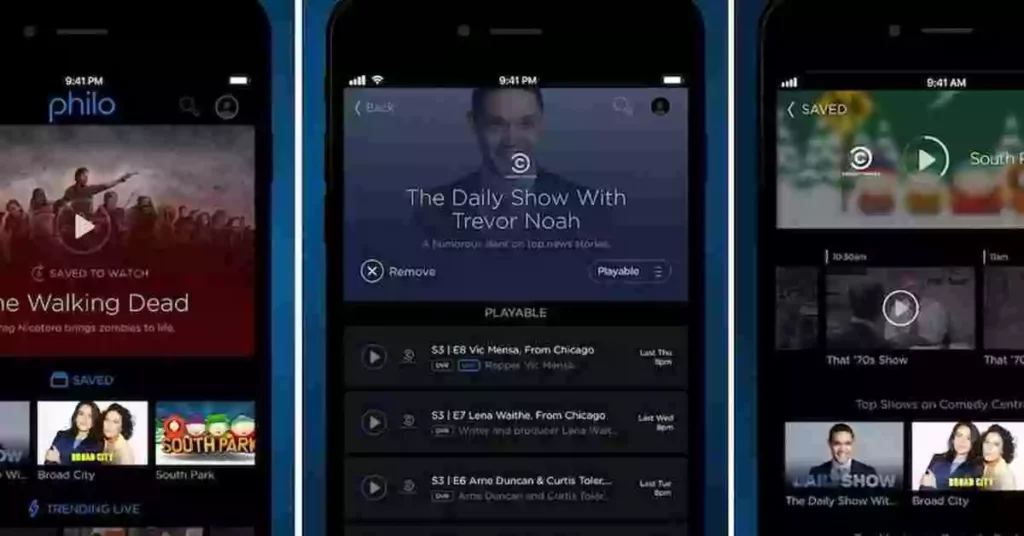
Philo For iPhone

1. Click on the Settings icon on your iPhone.

2. Then, Tap your name and Apple ID on the top. 

3. Scroll down and tap on “Subscriptions.”

4. Navigate on your “Philo” subscription.

5. Go to the bottom and tap “Cancel Subscription“.

6. You’ve successfully canceled your Philo account on your iPhone.

How To Cancel Philo Subscription on Amazon Fire TV

Follow these steps to cancel Philo on Amazon if you have subscribed to Philo with your Fire TV device.
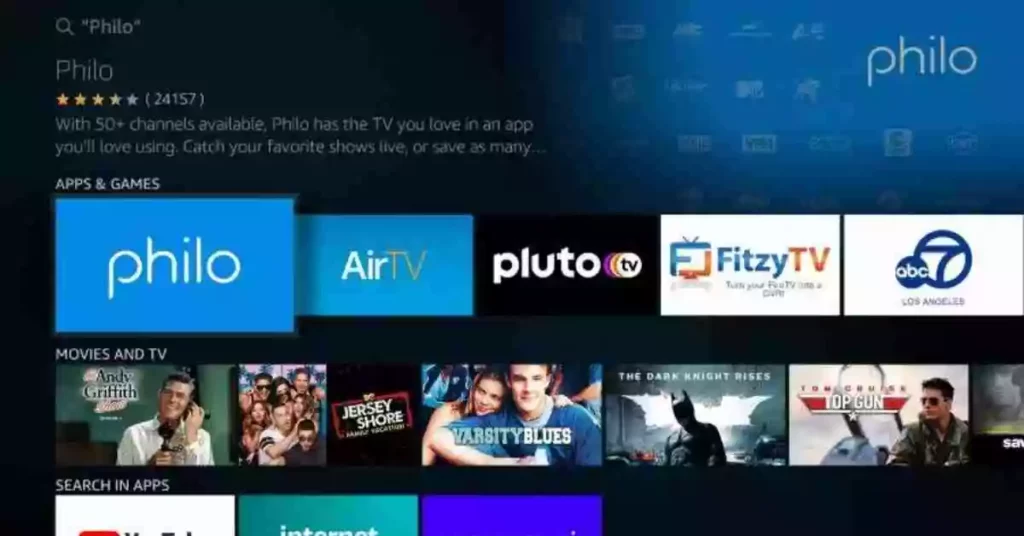
Philo on Amazon Firestick

1. Open Amazon’s app store subscriptions website in your web browser. 

2. After that, in the “Action” dropdown list for Philo, select “Turn off auto-renewal.”

3. Select “Turn off auto-renewal” to cancel your Philo subscription. 

How to cancel Philo on Roku

You can cancel your Philo subscription on Roku devices if your subscription was paid by using Roku Pay. Follow these simple steps to cancel Philo on your Roku devices. 
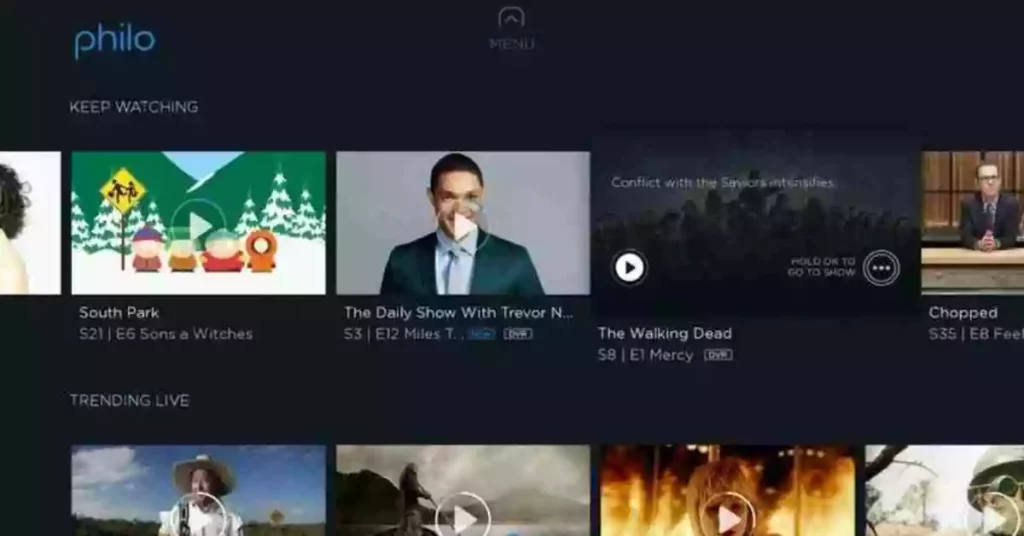
Philo On Roku

1. Press the home button on the Roku remote. 

2. To open the Philo app, highlight it and press the “*” button on your remote.

3. Choose “Manage subscriptions.”

4. Click “Cancel subscription” once, then click it again to confirm it.

5. Click “Done.” Now your subscription for Philo is canceled and will not be renewed for another cycle.

Conclusion

Due to a wide variety of devices being compatible with Philo TV, including Roku, Apple TV, and desktop browsers on Macs and PCs, Philo TV appears nearly identical whether you are viewing TV on your computer or via any of Philo’s mobile apps.

Instead of paying these channels’ expensive broadcast rights fees, Philo focuses on reality TV, documentaries, comedy and drama series, movies, and children’s programming.

However, if you still wish to cancel your Philo account, you can easily do so by following our guide.

if you have any additional questions or suggestions, you can comment below or feel free to contact us.


Further Reading

How To Watch Twitch on Roku

Similar Posts

How Do You Earn PokéCoins on Pokémon GO? Easy Guide
How To Create a Man in Infinite Craft
How To Make Smooth Stone Slabs in Minecraft
Share This Article
Facebook Whatsapp Whatsapp Email Print
ByAlex Marz
CEO Of ItsEasyTech - A Real Newbie Learning To Be A Successful Tech Guide. Loves Tech And Gadgets.
Leave a Comment Leave a Comment

Leave a Reply Cancel reply

Your email address will not be published. Required fields are marked *

Read More

How Do You Earn PokéCoins on Pokémon GO? Easy Guide
April 25, 2026
How To Create a Man in Infinite Craft
April 23, 2026
How to Survive in the Age of Interface Abundance
A Diet for the Neocortex: How to Survive in the Age of Interface Abundance
May 18, 2026
The Best Goal Tracking Apps and Software for Teams
The Best Goal Tracking Apps and Software for Teams in 2026
May 16, 2026
How to Help Your Sales Team Close Deals Faster
May 9, 2026
Global Business Managementt
How Leveraging Ba Insight vs Shelfio Enhances Business Efficiency?
May 6, 2026
Finance

The Ceasefire the Market Did Not See: Why the Polymarket Dispute Could Become a Precedent for the Entire Industry

playmarket

The Ceasefire Polymarket Couldn’t Price: A $77M Dispute That Exposes the Limits of Prediction Markets Lead: the market was supposed to answer one question A prediction market should reduce uncertainty.…

Red Eliot
April 29, 2026

Your may also like!

5 Best Apple Carplay Apps To Use

5 Best Apple Carplay Apps To Use in 2026

Alex Marz
April 20, 2026
Best VPNs to use

6 Best VPNs To Use in 2025 (Features, Pros, Cons)

Express VPN
best RARBG Torrent Alternative Sites

10 Best RARBG Torrent Alternative Sites in 2026

Alex Marz
April 11, 2026

Always Stay Up to Date

Subscribe to our Newsletter for Daily Updated Tech Contents!

Find us on Social Media

Facebook Pinterest X-twitter Youtube

© 2026 | ITSEASYTECH.COM. All Rights Reserved.

ItsEasyTech

More from ItsEasyTech

  • About Us
  • Disclamier
  • Privacy & Cookie Policy
  • Terms and Condition
  • Write For Us
Welcome Back!

Sign in to your account

Username or Email Address
Password

Lost your password?