

Are you having trouble deciding which Bluetooth adapters to buy for your PC? If that’s the case, there are a variety of Bluetooth card adapters for PC on the market. They are intended for different purposes, from connecting wireless headphones and keyboards to connecting laptops and televisions to computers. However, you may not be sure which one would work best for your PC or the most cost-effective. So, in this blog, we have listed the 11 best Bluetooth card adapters for PC that you should try.
Bluetooth is an increasingly popular technology that allows devices to wirelessly connect to each other. Many new computers and laptops come with Bluetooth built-in, but older models often require a Bluetooth card adapter in order to use the technology. If you’re in the market for a Bluetooth card adapter, there are a few things you should keep in mind before making your purchase.
In this article, we’ll give you a few tips on what to look for in a Bluetooth card adapter and what kind of performance you can expect from it. First, let’s take a look at the different types of Bluetooth card adapters available on the market. The most common type of Bluetooth adapter is the USB Bluetooth adapter. These adapters connect to your computer via a USB port and typically offer good performance.
Why should you get a Bluetooth card adapter for your PC?
Bluetooth card adapter is also known as Bluetooth dongle. Using it on your PC connects to other devices like TV, phone, speaker, and more through Bluetooth signals. These days every gadget or device is wireless to avoid the hassle of wires. And with the help of Bluetooth technology, you can connect with more than one device simultaneously.
We all know that Bluetooth is a great way to connect wirelessly to different devices. But did you know that you can also use it to connect your PC to other devices? That’s right, with a Bluetooth card adapter, you can connect your PC to all sorts of devices, including speakers, keyboards, mice, and more. In order to increase your awareness of Bluetooth and before buying a Bluetooth card adapter, we suggest taking a look at the Bluetooth User Manuals . This will provide you with a better understanding of Bluetooth and give you more options to explore and enjoy the benefits.
So, why should you get a Bluetooth card adapter for your PC?
Here are four great reasons:
1. Convenience
With a Bluetooth card adapter, you can say goodbye to messy wires and tangled cables. Whether you’re at home or at the office, you can easily connect your PC to any Bluetooth-enabled device. No more worrying about losing or misplacing your cables!
2. Enhanced performance
A Bluetooth card adapter will help you get the most out of your PC. With a reliable connection, you’ll be able to experience better performance when using your PC.
3. More options
With a Bluetooth card adapter, you’ll have access to a wider range of devices. You can connect to speakers, keyboards, mice, and more. Plus, you’ll be able to use Bluetooth-enabled devices that are not compatible with your PC.
4. Affordable
Bluetooth card adapters are very affordable, especially when you compare them to other wireless connection options. You can find a good quality adapter for less than $50.
So, there you have it! These are four great reasons to get a Bluetooth card adapter for your PC. If you’re looking for a convenient and affordable way to connect your PC to other devices, a Bluetooth card adapter is the way to go.
11 Best Bluetooth card adapters for PC
1. Asus BT500
The ASUS-USB-BT500 is one of the best Bluetooth smart-ready adapters. It enables wireless connectivity with many devices such as laptops, headsets, phones, and other Bluetooth-enabled devices. It offers new Bluetooth 5.0 capabilities that use EDR to increase speed up to 3Mbps, i.e., twice the speed of 4.0 Bluetooth.
Asus BT500 has the capability of connecting and pairing up to seven devices at the same time. It has a transmission range of 40 meters of open space. It is fully compatible with Bluetooth 2.1/3.0/4.0. Its ultra-small design makes it portable and easy to use for your device. Asus BT500 uses Bluetooth Low Energy technology which saves device power to enjoy wireless connectivity.
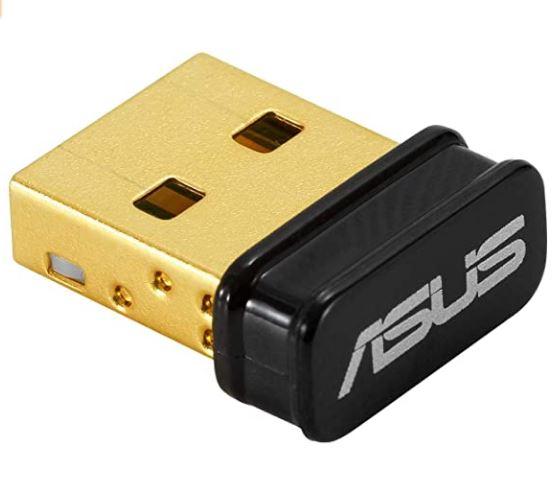
If you are a windows user, Asus BT500 is the best Bluetooth in terms of speed, transmission range, and device size. However, it does not support Mac and Linux operating systems.
2. Avantree DG80
Avantree DG80 Bluetooth is an audio-only Bluetooth adapter. It is used for adding Bluetooth audio transmission functionality on any device to connect Bluetooth headset and speaker. It supports almost all platforms like Mac, Windows, and all major consoles. With Avantree, you can connect to Bluetooth enabled device at up to 30 meters.
The DG80 uses Qualcomm’s aptX Low Latency technology to provide you lag-free audio. It let you connect two audio devices at a time. So the video and audio are perfectly synchronized. It is the best adapter you can choose if you want to wireless audio and maintain the audio quality during meetings and phone calls.
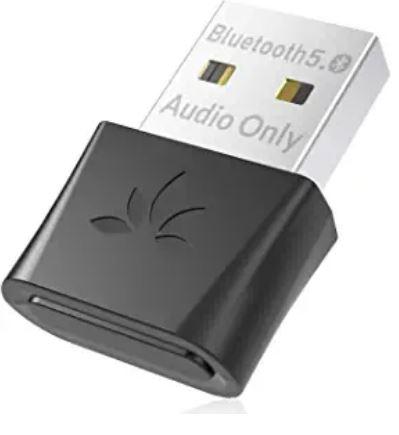
However, it is an audio-only adapter, so you cannot use it with other data devices like a keyboard, mouse, and gaming controllers. To use DG80, you don’t need to install any device driver; plug and connect to other Bluetooth devices within its range.
3. TP-Link UB400
It is another Bluetooth adapter available for the Windows operating system. TP-Link UB400 uses the latest Bluetooth 4.0 version with low energy technology, enabling energy-saving for wireless devices. It has a good transmission range; it covers up to 20m distance.
UB400 features EDR and A2DP for faster data rates and to provide stable audio. You can connect and pair up to seven devices at a time, including headsets, phones, and speakers. It is an inexpensive and portable option to manage your wireless peripherals. UB400 also supports older Bluetooth V3.0, 2.1, 2.0, 1.1.
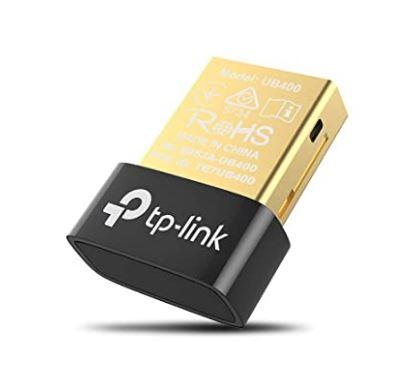
However, it is not compatible with other operating systems such as Mac, Linux, and other consoles. But if you are a windows user, TP-Link UB400 is an excellent option at a fair price.
4. Kinivo BTD-400
The Kinivo BTD400 is used to connect Bluetooth devices to your PC. it supports many platforms; Windows(32 and 64 bit), Linux, Mac, and Raspberry pi. BTD-400 uses Bluetooth version 4.0 and has a transmission range of 10m. Its data transfer rate can reach up to 3Mbps.
BTD-400 is highly portable because of its small size and dimensions. You can easily find it online for a reasonable price compared to other adapters. And Kinivo also has a 2-year warranty on its products, including BTD-400.
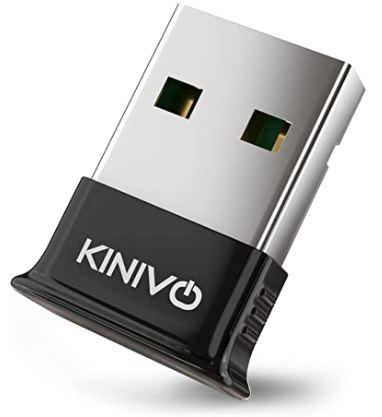
However, if you use Windows 10, you will need to install a Windows driver on your PC., and it is not compatible with some gaming consoles. It is worth trying if you want to transfer any files from a PC to a Bluetooth device.
5. ZEXMTE Long Range USB Bluetooth adapter
The window-only Bluetooth 5.0 adapter has an incredible transmission range. ZEXMTE USB
uses the Bluetooth 5.0 chip, and its low energy (BLE) reduces the power consumption of Bluetooth. It supports ENhanced data rate (EDR) to improve the data transfer at 3Mbps faster than Bluetooth 4.0. It is the only Bluetooth adapter that can easily cover up to 328ft(100m).
With ZEXMTE’s adapter, you can experience stable connection and lag-free audio, all thanks to its anti-interference ability and stability that ignores 2.4GHz frequency. It is a class 1 Bluetooth adapter, so you need to make sure that you pair it with other class 1 devices for the best results.
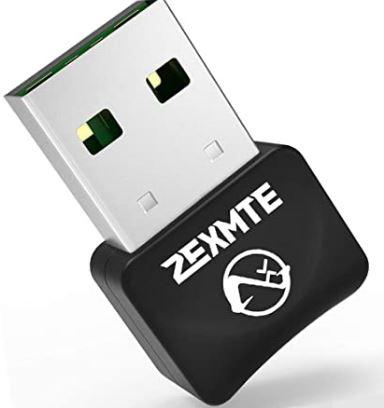
However, ZEXMTE does not support Linux and Mac OS. Users are required to install the driver via the CD that is included while buying it. If you are working with a keyboard and mouse with 2.4GHz wireless technology, you’ll need to upgrade them.
6. Techkey USB Mini Bluetooth 5.0
Techkey USB is a fast, portable Bluetooth adapter that you can use to turn your PC into a Bluetooth-enabled device for wireless transmission. This adapter applies Bluetooth 5.0, enhanced data rate, and low energy. Like, ZEXMTE it also has anti-interference to reduce loss or transmission caused by the frequency of the 2.4GHz band.
With Techkey’s adapter, you can connect with seven devices at the same time. The transmission range easily covers a distance of up to 10m in an open space. It is backward compatible, which supports older Bluetooth versions 2.0, 2.1, 3.0, 4.0, and Dual-mode Bluetooth transfer.
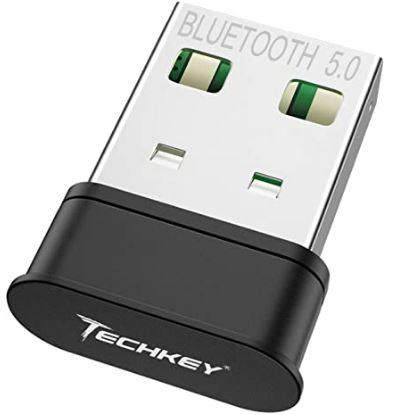
Techkey is a good option if you are a Windows user. It is compatible with Windows 7, 8, 8.1, and 10. But you need to install the driver in Win 10. And it does not support other operating systems such as Mac OS, Linux, car stereo systems, Xbox, Ps4, or TVs.
7. EVEO USB Bluetooth Adapter
With EVEO USB Bluetooth Adapter, you can use all the features that are required for wireless transmission. It provides you a faster wireless connection between your PC and other Bluetooth devices, speaker, keyboard, printers, and more. EVO has a 3Mbps data transfer rate so that it delivers in time.
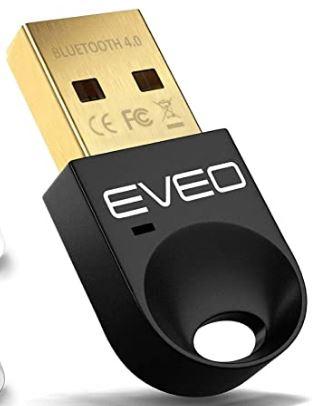
EVEO requires a Device driver. It offers maximum coverage for a PC with a frequency of 2.402Ghz – 2.480Ghz. So, install the driver before using it for your PC. the transmission range is up to 10m and connects with more than 2 devices simultaneously. It is only compatible with the Windows Operating system.
8. IOGEAR 4.0 Micro USB Bluetooth adapter
The IOGEAR Bluetooth Micro Adapter is compatible with the Windows operating system and other gaming consoles. IOGEAR applies A2DP stereo to provide lag-free and clear audio for its users while using headsets and audio devices. And, wide-band audio reduces any noise and echo.
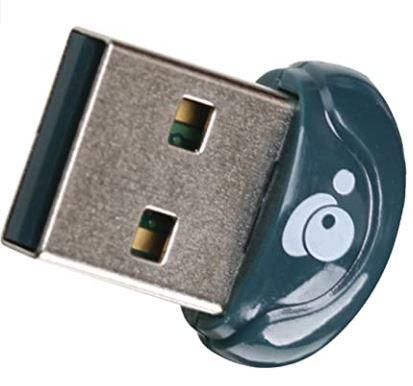
In terms of speed, IOGEAR is capable of connecting the devices within the range of 10m and pair with 3 devices at the same time. It is excellent for a smaller range of applications or personal use. If you need to cover a longer distance, you can use ZEXMTE or other options. It works with all versions of Windows, iPhone, and iPad but does not support Mac.
9. QGOO Mini Bluetooth Adapter
This adapter is an excellent choice for wireless transmission at a fair price. QGOO Mini USB has Bluetooth 5.0 support to provide faster and reliable data transfer for its users. It also has the same limited transmission range as Kinivo, so it only covers distances of up to 10m. At the same time, you can connect with 7 devices.
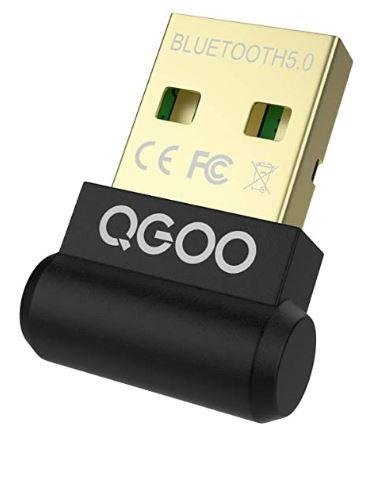
Regarding speed and performance, QGOO transfers data at 3Mps and supports anti-interference ability to reduce transmission loss caused by a frequency of 2.4 GHz band. If you want to use it on Windows 10, it requires an additional device driver, and it does not support Mac OS.
10. Cable matters USB Bluetooth adapter
Cable-Matters USB is a good option if you need a portable, faster, and reliable Bluetooth adapter for a PC at an affordable price. With the Cable USB adapter, you can transfer data within the range of 30ft. Like other adapters, it is also backward compatible with older versions of Bluetooth.
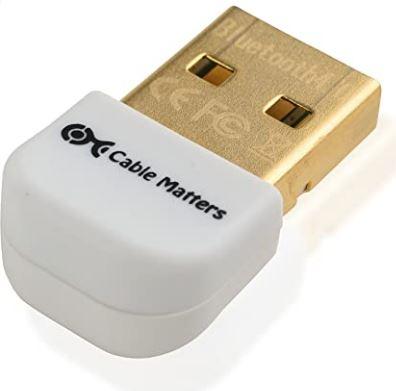
The installation is simple; windows drivers automatically install with windows 8.1 and 10. Cable USB is compatible with Windows; however, another issue to consider is it does not support Mac OS and gaming consoles.
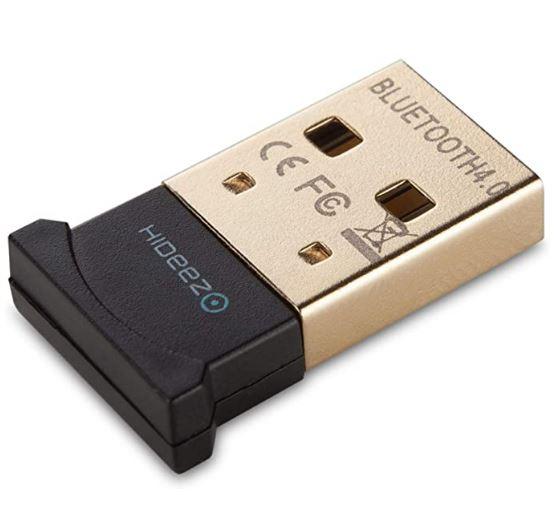
11. Hideez Smart USB Bluetooth Dongle
Hideez Smart USB is compatible with all versions of windows and Mac OS. Bluetooth 4.0 supports low energy technology to reduce power consumption between connected devices. The transmission range of this adapter can reach up to 20m with 3Mbps data transfer rate.
Conclusion
Bluetooth adapters are used to establish wireless connections between old versions of PCs and other devices with Bluetooth technology. However, selecting the right adapters for your device is not an easy task. Using an adapter that is not compatible with your device will create technical issues and damage your devices. So, I hope above mentioned will help you to find the Bluetooth adapter of your choice.







