Plagiarism is a major problem that can affect academics, businesses, and even the legal profession. People find it difficult to detect and it may have serious consequences if left unchecked.
Fortunately, there are a number of tools available to help detect and prevent plagiarism. Today, we are going to review one of these tools named “Check-Plagiarism”. In this article, we will explore the tools, pricing, and pros and cons of this tool.
Check-Plagiarism – A Review
Check-Plagiarism is designed to detect any instances of plagiarism in written documents. This tool uses advanced algorithms to scan for similarities between passages in the document and other sources on the internet.
Using the plagiarism checker is easy. All you need to do is copy and paste the text into the tool.
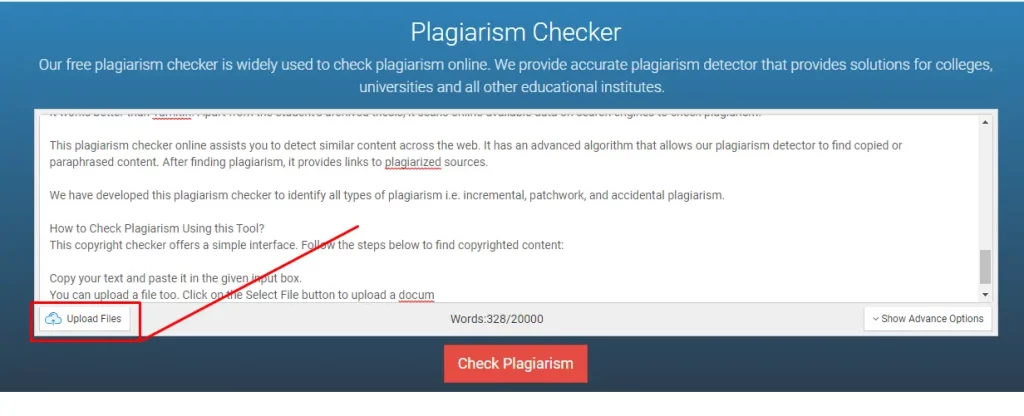
The tool will then analyze the text and highlight any instances of plagiarism. It will also provide you with a percentage of how much of the text was copied from other sources. Additionally, it also allows you to download the plagiarism report.
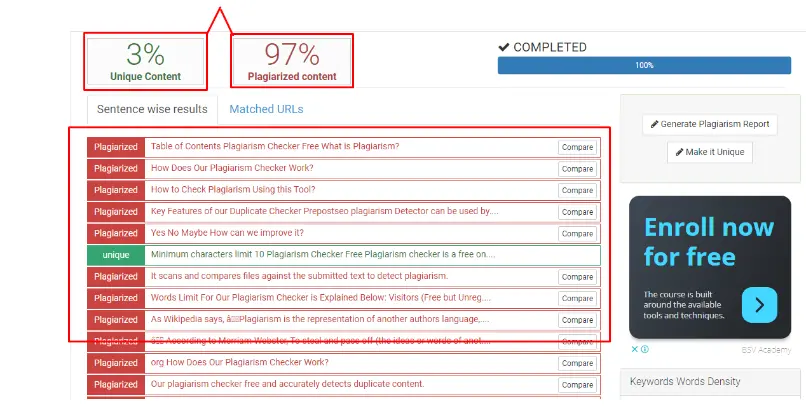
Overall, Check-Plagiarism is a great way to ensure that any work you create is original. The tool helps you avoid any legal issues and maintain your credibility. It is also great for students who are looking to make sure that their work is not plagiarized.
Features of Check-Plagiarism (Plagiarism Checker)
- 5,000-word input limit for free users
- Accurate results
- Multiple importing options
- ‘Exclude URL’ option
- Sentence-wise results
- Exact URLs of copied sources
Tools of Check-Plagiarism
Now let’s take a look at some of the other tools of Check-Plagiarism.
Paraphrasing Tool:
The paraphrasing tool uses advanced AI tools to rewrite the text in a way that is unique and original. The AI is able to recognize patterns in the text and use them to rewrite it in a way that is unique and still conveys the same meaning.
It has three paraphrasing modes; Simple mode, AI mode, and Formal mode.
The Simple mode uses an (as the name says) “simple” mechanism to rephrase sentences. In other words, it will rephrase the content in the simplest form so everyone can understand. This mode does not utilize a lot of smart algorithms and it just changes some of the words with random synonyms without taking care of the context.
Here, you can see it in the image below:

The AI mode uses advanced AI-based algorithms to rephrase the text and make it look like human-written content.

Lastly, the Formal mode will rephrase the content to make it sound more formal/professional. This basically involves removing slang words and phrases.

As you can see in the image above, the Formal mode changed the words “The paraphrasing tool…” to “The paraphrasing function…” “Function” sounds a bit more formal and crisper than the word “Tool”.
| Name of Mode | Simple | AI | Formal |
| Changes | Basic | Advanced and human-like | Formal and professional |
| Ideal For | Learning new words (for Students) | Getting rid of plagiarism and improving content delivery (for Bloggers) | Making content look more professional (corporate users) |
Article Rewriter:
Check-Plagiarism’s article writer helps users to rewrite existing articles without changing the meaning and context. This tool can save time if you’re managing multiple websites, as it can quickly create multiple versions of an article.
Additionally, this can also save you time on manual rewriting, so you can focus on other tasks as well.
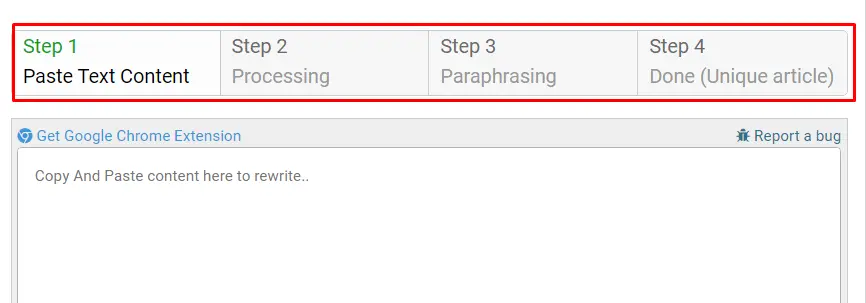
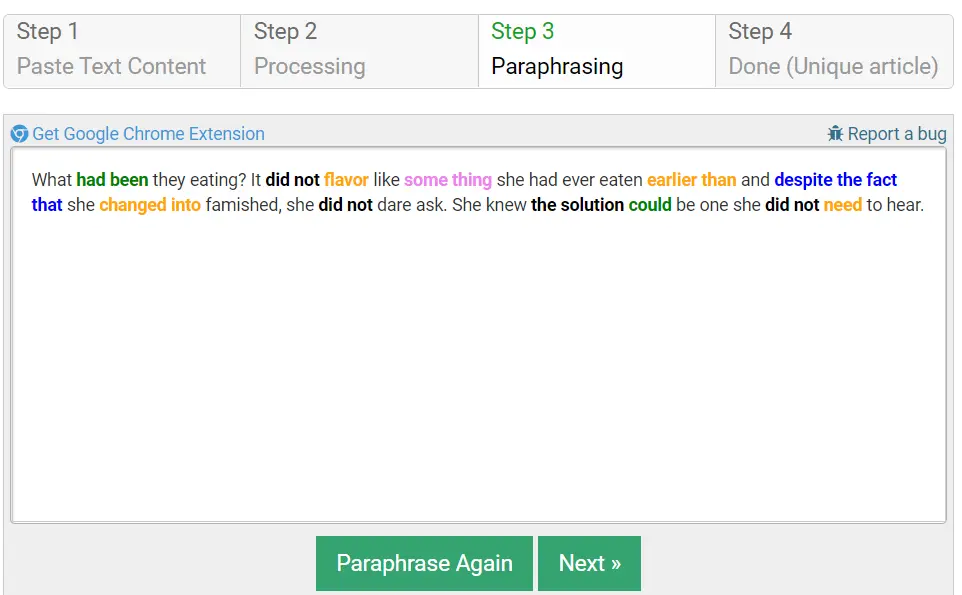
It rewrites content in four stages. In the first stage, the user uploads/pastes the content that they want to rewrite. In the second stage, the article rewriter will start processing the content. In the third stage, it will rewrite it and in the fourth stage, the article rewriter tool will provide a unique re-written article.
You can see how it works in the image below.
To show you how well this article rewriter works, here is a piece of sample text that we will rewrite using it:
What were they eating? It didn’t taste like anything she had ever eaten before and although she was famished, she didn’t dare ask. She knew the answer would be one she didn’t want to hear.
Here is the result that was given by the tool:
What had been they eating? It did not flavor like some thing she had ever eaten earlier than and despite the fact that she changed into famished, she did not dare ask. She knew the solution could be one she did not need to hear.
Grammar Check:
Check-Plagiarism also has a grammar-checking tool that you can use for free. It works quickly and accurately, and you can use it for running a quick check without having to worry about signing up.

With the help of this tool, you can quickly and accurately assess the correctness of your writing.
Moreover, it supports 30+ languages, so users can select their required language according to their submitted content.
Text Summarizer:
Check-Plagiarism’s text summarizer helps to quickly summarize large pieces of text. It extracts the most important sentences from the text and joins them together to form a well-rounded summary. This tool is useful for students, journalists, and anyone who needs to quickly get the gist of a large body of text.
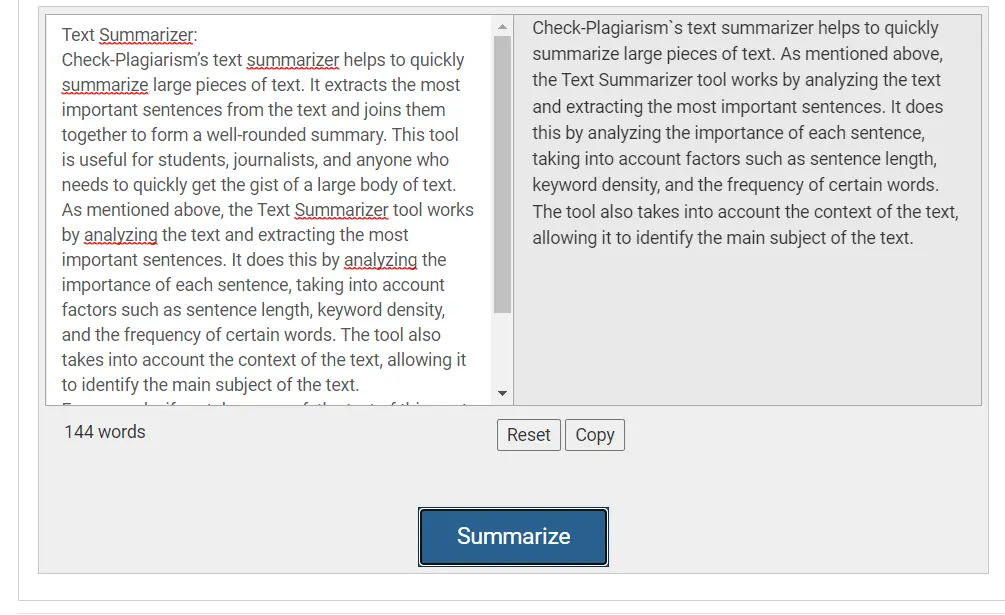
As mentioned above, the Text Summarizer tool works by analyzing the text and extracting the most important sentences. It does this by analyzing the importance of each sentence, taking into account factors such as sentence length, keyword density, and the frequency of certain words. The tool also takes into account the context of the text, allowing it to identify the main subject of the text.
For example, if we take some of the text of this post and run it through the summarizer, you can see how it will shorten it:
Additional Features:
Check-Plagiarism supports multiple languages including Chinese, Dutch, Indonesian, and many more.

In the main tool (i.e., the plagiarism checker), it provides multiple ways to check plagiarism by pasting text, inserting web page URLs, or by uploading files.
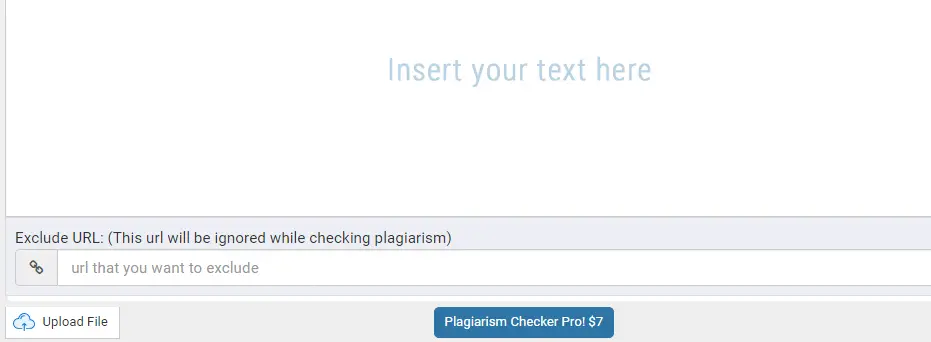
Furthermore, it also covers multiple platforms including WordPress, website widgets, and plagiarism APIs. When it comes to WordPress, there is a plugin available named Check-Plagiarism that checks plagiarism directly from the website’s admin panel.
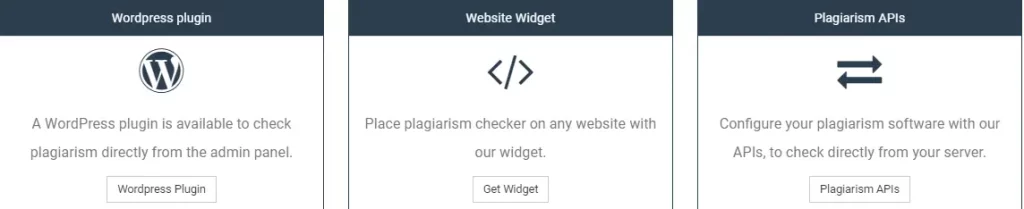
For website widgets, users just need to place the “Check-Plagiarism” widget on their website to access all the tools of the plagiarism checker.
Pricing:
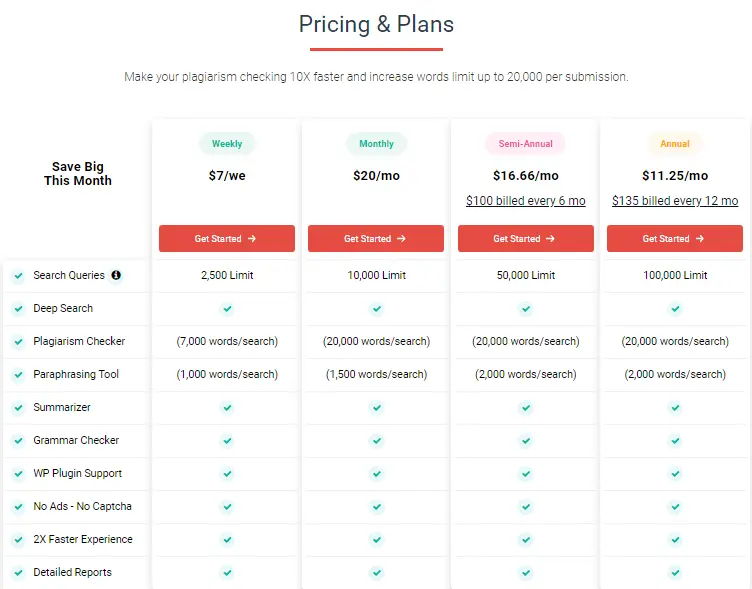
Check-Plagiarism offers a variety of subscription plans to fit any budget. The basic plan is free for limited search queries for plagiarism checks. A basic plan is an ideal option for students and people who just want to give it a try.
For professional users, there are also multiple paid plans available, so they can pick the one that matches their needs & requirements.
| Plans | Weekly | Monthly | Annual |
| Price | $7.0 | $20 | $11.25 |
| Search Queries | 2500 limit | 10,000-limit | 100,000-limit |
| Plagiarism Checker | 7,000-word search | 20,000-word search | 20,000-word search |
Pros & Cons of Check-Plagiarism:
Pros
- Quick & responsive
- Search plagiarized content through millions of web pages
- Highlight plagiarized text
- Identifies and lists plagiarized sources
- Has a range of useful features in the additional tools as well
Cons:
- The free version contains ads.
- The paraphrasing tool only rephrases 500 words at once.
Who Can Use Check-Plagiarism?
Check-Plagiarism is a great tool for anyone who creates content, whether it is for a blog, an academic paper, or a business document. The tool uses advanced AI algorithms to scan and compare any text against millions of other sources on the web and in databases. If a match is found, it will alert the user and provide information on where the copied content originated from.
Check-Plagiarism is also great for teachers and professors who want to ensure that their students are not plagiarizing. The tool can be used to quickly and easily identify any instances of plagiarism in essays, assignments, and research papers. This helps ensure that students are properly cited and that they are held accountable for any copied content they use.
Businesses can also benefit from using Check-Plagiarism. Companies who create and share content online can use the tool to make sure that their content is not being misused or stolen by competitors. It can also help businesses stay in compliance with copyright laws and protect their intellectual property.
Other than that, the other tools that they offer such as the grammar checker and paraphraser can also be equally useful to students and bloggers, etc., to help them get rid of imperfections in their write-ups.
Frequently Asked Questions
How you can interpret the results of the Check-Plagiarism?
To interpret the results of the Check-Plagiarism, you should look at the percentage of text that is considered plagiarized and the number of sources the text was matched against. If the percentage is high and the number of sources is large, this could indicate that the content has been copied from another source.
If the percentage is low and the number of sources is small, this could indicate that the content is original (because it is normal for original content to contain small traces of ‘accidental’ plagiarism). It is also important to look at the specific sources that have been matched against the content in order to get a better understanding of any similarities.
What type of documents can be checked with the Check-Plagiarism?
This plagiarism checker can check documents such as essays, articles, other written works, and research papers.
Verdict:
The Check-Plagiarism tool is a useful tool for identifying plagiarism in written works. It can be used by educators and publishers to ensure that students and authors are producing original content.
But, while this platform is great and all, the annoying ads in the free version can be a bit of a problem for a lot of users.
Further Reading
Vingo App: Uncover the Secret Behind the Revolutionary New Fitness App