WRITE FOR US
ItsEasyTech
  • Social Media
    • FacebookFacebook
    • SnapchatSnapchat
    Social Media
    We ItsEasyTech will cover social media guides, tips, and how-tos here. Our content is 100% original and based on in-depth research covering Facebook to TikTok…
    Show More
    Top News
    You to subs
    How to Boost Instagram with You to subs?
    June 19, 2023
    How Gyre Helps You To Grow Your YouTube Channel Automatically
    November 26, 2025
    YouTube Music
    How To Play Youtube Music In Background Without Premium
    April 11, 2026
    Latest News
    How to Record a WhatsApp Call on Android & iOS
    April 20, 2026
    How to Remove Followers on Twitter (X) Easily
    April 19, 2026
    Does Facebook Notify When You Save a Photo?
    April 14, 2026
    How to See Deleted Messages in Discord (3 Easy Methods)
    February 3, 2026
  • How To
    How ToShow More
    How to Record a WhatsApp Call on Android & iOS
    How to Record a WhatsApp Call on Android & iOS
    April 20, 2026
    how to remove the followers in twitter X
    How to Remove Followers on Twitter (X) Easily
    April 19, 2026
    does facebook notify when you save a photo
    Does Facebook Notify When You Save a Photo?
    April 14, 2026
    How to block adult content on iPhone
    How to Block Adult Content on iPhone in 4 Easy Ways
    April 14, 2026
    How to Edit Email Signature Outlook Settings Quickly
    How to Edit Email Signature Outlook Settings Easily
    April 11, 2026
  • Reviews
    ReviewsShow More
    The Best Adobe Photoshop Alternatives
    The Best Adobe Photoshop Alternatives That Don’t Slow Your PC
    July 30, 2025
    Protect Your Privacy: The Case for Anonymous Hosting 
    December 11, 2024
    Plaud Note Review Is This the Best Voice Recorder
    Plaud Note Review: Is This the Best Voice Recorder?
    July 15, 2024
    Forerunner 165 review
    Forerunner 165 Review: Garmin’S Budget OLED Running Watch
    March 4, 2024
    best ufo movies to watch
    The UFO Movies to Put on Your Must-Watch List Today
    October 30, 2023
  • Tech Updates
    Tech UpdatesShow More
    5 Best Apple Carplay Apps To Use
    5 Best Apple Carplay Apps To Use in 2026
    April 20, 2026
    Why Commercial Printers Still Matter for Business
    Why Commercial Printers Still Matter for Business
    April 19, 2026
    Why Litho Printing Still Leads Large
    Why Litho Printing Still Leads Large Runs
    April 19, 2026
    What Does JW Mean in Text Messages
    What Does “JW” Mean in Text Messages?
    April 19, 2026
    Superpro Bushes: The Overlooked Cause of Inconsistent Cornering
    Superpro Bushes: The Overlooked Cause of Inconsistent Cornering
    April 17, 2026
  • Business
    • Cryptocurrency
    Business
    Get the latest news and insights from the world of digital currencies, and stay informed about the financial markets with our easy-to-use tools.
    Show More
    Top News
    Tech Problems solutions for remote workers
    5 Tech Problems / Solutions For Remote Workers
    May 18, 2023
    All crypto events in one place Why waste time subscribing to multiple sources
    All crypto events in one place: Why waste time subscribing to multiple sources?
    April 22, 2025
    Best Ido Launchpads for Cryptocurrency
    Which are the best ido launchpads for crypto projects?
    February 8, 2023
    Latest News
    Business Owners: Key Considerations for Sharepoint Online Search Connectors
    April 11, 2026
    How Custom Software Helps Restoration Companies Grow Faster
    March 25, 2026
    Essential Financial Technologies for Scaling Your Tech Business Internationally
    March 11, 2026
    How to Use ChatGPT to Write SOPs (Plus Free Templates)
    January 8, 2026
ItsEasyTechItsEasyTech
Font ResizerAa
Search
Follow US
© Foxiz News Network. Ruby Design Company. All Rights Reserved.
ItsEasyTech > Games > Genshin Impact Lag Fix: Best Settings for Budget Androids (2026)
GamesHow To

Genshin Impact Lag Fix: Best Settings for Budget Androids (2026)

Alex Marz
Last updated: January 8, 2026 7:57 am
Alex Marz
Share
5 Min Read
Genshin Impact Lag Fix: Best Settings for Budget Androids
SHARE

Genshin Impact is massive. Even years after its release, it remains one of the most beautiful and content-rich games on mobile. But that beauty comes with a price: it demands a lot of power from your phone.

If you are playing on a budget Android device, you know the struggle. The game stutters during combat, your phone heats up like a toaster, and textures take forever to load. 

Contents
  • Why Your Graphics Settings Matter in Genshin Impact
  • Best Genshin Impact Settings for No Lag on Android (2026)
    • 1. Render Resolution: Low or Medium
    • 2. Shadow Quality: Lowest
    • 3. Visual Effects and SFX Quality: Low
    • FPS (Frames Per Second): 30 vs. 60
    • Motion Blur: Off
    • Bloom and Crowd Density
  • Advanced Tweaks for Best Graphic Settings & Speed For Genshin Impact
    • 1. Use “Game Mode”
    • 2. Clear Background Apps
    • 3. Don’t Play While Charging
  • Conclusion

The good news is that you don’t need the latest flagship phone to enjoy the game. By tweaking the right settings for mobile phone graphics, you can get smooth performance without making the game look terrible. Here is how to configure your graphics for the best experience in 2026.

Why Your Graphics Settings Matter in Genshin Impact

Before we change anything, it helps to know what is actually slowing down your phone. Genshin Impact tries to render a huge open world with complex lighting and character models.

When your settings are too high, your phone’s processor works overtime. This causes heat. When a phone gets too hot, it intentionally slows down to protect itself (this is called thermal throttling). That is usually when you feel the lag spikes.

Our goal is simple: reduce the workload on your processor just enough to keep the frame rate stable and the temperature cool.
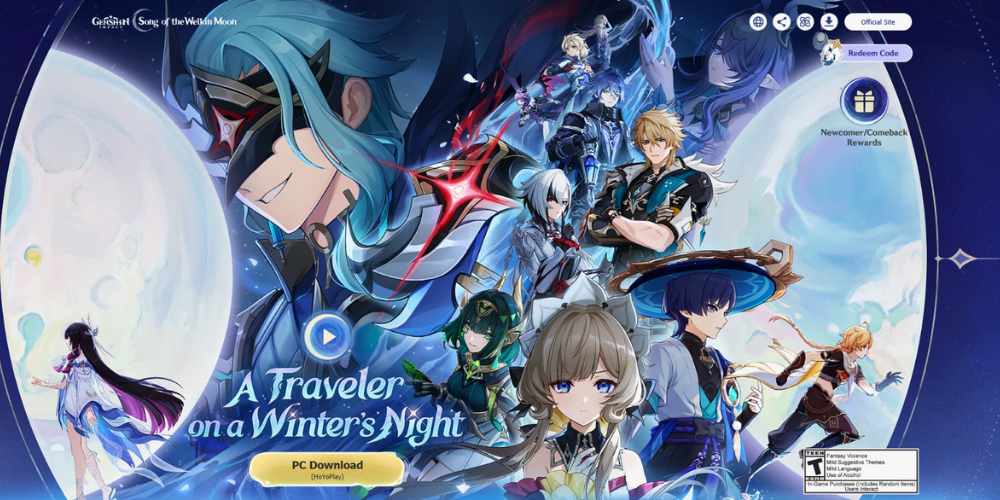
Genshin Impact Lag Fix Best Settings for Budget Androids

Best Genshin Impact Settings for No Lag on Android (2026)

Open your Paimon menu, go to Settings, and select Graphics. Change the “Graphics Quality” to Custom and use these specific adjustments.

1. Render Resolution: Low or Medium

This is the most important setting. It determines how sharp the game looks.

  • Recommendation: Start with Medium. If you still lag, drop it to Low.
  • Reason: High resolution eats up the most processing power. Lowering this makes the game slightly blurrier, but it gives you the biggest boost in speed.

2. Shadow Quality: Lowest

Shadows are surprisingly heavy on performance.

  • Recommendation: Lowest.
  • Reason: You won’t notice the lack of detailed shadows when you are fighting a boss. Turning this down frees up a lot of resources.

3. Visual Effects and SFX Quality: Low

  • Recommendation: Low.
  • Reason: This controls how flashy the explosions and elemental skills look. “Low” still looks good enough to see what is happening, but it stops the game from freezing when you unleash an Elemental Burst.

FPS (Frames Per Second): 30 vs. 60

This is the big debate. 60 FPS feels smoother, but 30 FPS is more stable.

  • Recommendation: Set it to 30 FPS.
  • Reason: On a budget phone, trying to force 60 FPS usually leads to overheating and jagged performance. A stable 30 FPS is much better than a 60 FPS that constantly drops to 15.

Motion Blur: Off

  • Recommendation: Off.
  • Reason: Most competitive gamers turn this off anyway. It makes the camera movement cleaner and saves a tiny bit of processing power.

Bloom and Crowd Density

  • Recommendation: Turn Bloom Off and set Crowd Density to Low.
  • Reason: These are extra visual treats that you don’t need for gameplay.

Advanced Tweaks for Best Graphic Settings & Speed For Genshin Impact

If you have changed the settings above and still face issues, try these external tricks.

1. Use “Game Mode”

Most Android brands (Samsung, Xiaomi, Realme) now have a built-in “Game Booster” or “Game Mode.” Make sure you add Genshin Impact to this launcher. Set the mode to “Performance” or “Max FPS.” This tells your phone to prioritize the game over background apps.

2. Clear Background Apps

Before you launch the game, close everything else. Social media apps, browsers, and music players use up RAM. Genshin needs all the RAM it can get.

3. Don’t Play While Charging

Heat is the enemy of performance. Charging your phone creates heat. Playing a heavy game creates heat. Doing both at the same time is a recipe for extreme lag. Charge your phone first, unplug it, and then play.

Conclusion

Graphics are nice, but gameplay is king. It is much better to have a smooth combat experience with slightly blurry textures than a crisp image that freezes every five seconds.

By using these settings, you can explore the latest regions and defeat the toughest bosses without fighting your phone’s hardware. Experiment with the render resolution to find the sweet spot for your specific device.


Similar Posts

How to Record a WhatsApp Call on Android & iOS
5 Most Popular & Downloaded Android Apps 2026
LEGO Marvel Super Heroes Cheats for Nintendo Switch
Share This Article
Facebook Whatsapp Whatsapp Email Print
ByAlex Marz
CEO Of ItsEasyTech - A Real Newbie Learning To Be A Successful Tech Guide. Loves Tech And Gadgets.
Leave a Comment Leave a Comment

Leave a Reply Cancel reply

Your email address will not be published. Required fields are marked *

Read More

LEGO Marvel Super Heroes Cheats for Nintendo Switch
April 20, 2026
What do the llamas in Minecraft Eat
April 14, 2026
How to Record a WhatsApp Call on Android & iOS
April 20, 2026
5 Best Apple Carplay Apps To Use
5 Best Apple Carplay Apps To Use in 2026
April 20, 2026
LEGO Marvel Super Heroes Cheats for Nintendo Switch
April 20, 2026
Why Commercial Printers Still Matter for Business
April 19, 2026
Tech Updates

Why Litho Printing Still Leads Large Runs

Why Litho Printing Still Leads Large

Litho printing is an old technique, but it continues to feature heavily in print work today. This method tends to win the day when large volumes of steady quality are…

Red Eliot
April 19, 2026

Your may also like!

best RARBG Torrent Alternative Sites

10 Best RARBG Torrent Alternative Sites in 2026

Alex Marz
April 11, 2026
Best AI Video Creation Tools in 2026 for Effortless Content

Best AI Video Creation Tools in 2026 for Effortless Content

Alex Marz
March 19, 2026
iMini vs Sora AI

Is “iMini AI” Better Than Sora? (Honest Review & Best Alternatives)

Alex Marz
January 21, 2026

Always Stay Up to Date

Subscribe to our Newsletter for Daily Updated Tech Contents!

Find us on Social Media

Facebook Pinterest X-twitter Youtube

© 2026 | ITSEASYTECH.COM. All Rights Reserved.

ItsEasyTech

More from ItsEasyTech

  • About Us
  • Disclamier
  • Privacy & Cookie Policy
  • Terms and Condition
  • Write For Us
Welcome Back!

Sign in to your account

Username or Email Address
Password

Lost your password?