WRITE FOR US
ItsEasyTech
  • Social Media
    • FacebookFacebook
    • SnapchatSnapchat
    Social Media
    We ItsEasyTech will cover social media guides, tips, and how-tos here. Our content is 100% original and based on in-depth research covering Facebook to TikTok…
    Show More
    Top News
    How TO Read Instagram Messages Without Opening DMs
    4 Genius Tricks To Read Instagram Messages Without Opening DMs
    April 11, 2026
    how to buy and recharge tiktok coins
    How To Buy and Recharge TikTok Coins
    January 6, 2026
    Snapchat Snap Score Freeze
    Why Does Snapchat Snap Score Freeze?
    May 2, 2022
    Latest News
    How to Record a WhatsApp Call on Android & iOS
    April 20, 2026
    How to Remove Followers on Twitter (X) Easily
    April 19, 2026
    Does Facebook Notify When You Save a Photo?
    April 14, 2026
    How to See Deleted Messages in Discord (3 Easy Methods)
    February 3, 2026
  • How To
    How ToShow More
    how do you earn pokecoins on pokemon go
    How Do You Earn PokéCoins on Pokémon GO? Easy Guide
    April 25, 2026
    How to create a Man in Infinite Craft
    How To Create a Man in Infinite Craft
    April 23, 2026
    How To Make Smooth Stone Slabs in Minecraft
    How To Make Smooth Stone Slabs in Minecraft
    April 23, 2026
    How to Record a WhatsApp Call on Android & iOS
    How to Record a WhatsApp Call on Android & iOS
    April 20, 2026
    how to remove the followers in twitter X
    How to Remove Followers on Twitter (X) Easily
    April 19, 2026
  • Reviews
    ReviewsShow More
    The Best Adobe Photoshop Alternatives
    The Best Adobe Photoshop Alternatives That Don’t Slow Your PC
    July 30, 2025
    Protect Your Privacy: The Case for Anonymous Hosting 
    December 11, 2024
    Plaud Note Review Is This the Best Voice Recorder
    Plaud Note Review: Is This the Best Voice Recorder?
    July 15, 2024
    Forerunner 165 review
    Forerunner 165 Review: Garmin’S Budget OLED Running Watch
    March 4, 2024
    best ufo movies to watch
    The UFO Movies to Put on Your Must-Watch List Today
    October 30, 2023
  • Tech Updates
    Tech UpdatesShow More
    How EV Route Planner Transforms Operations
    How EV Route Planner Transforms Operations
    April 28, 2026
    5 Best Apple Carplay Apps To Use
    5 Best Apple Carplay Apps To Use in 2026
    April 20, 2026
    Why Commercial Printers Still Matter for Business
    Why Commercial Printers Still Matter for Business
    April 19, 2026
    Why Litho Printing Still Leads Large
    Why Litho Printing Still Leads Large Runs
    April 19, 2026
    What Does JW Mean in Text Messages
    What Does “JW” Mean in Text Messages?
    April 19, 2026
  • Business
    • Cryptocurrency
    Business
    Get the latest news and insights from the world of digital currencies, and stay informed about the financial markets with our easy-to-use tools.
    Show More
    Top News
    Oil Trade Tech
    What Makes Oil Trading The Future Of Money Making?
    January 16, 2023
    Trading
    7 Effective Rules to Follow When Trading Online
    July 13, 2023
    Solana (SOL) Token
    Solana Volume Bot: A Behind-the-Scenes Tool for Token Momentum
    July 15, 2025
    Latest News
    How to Help Your Sales Team Close Deals Faster
    May 9, 2026
    How Leveraging Ba Insight vs Shelfio Enhances Business Efficiency?
    May 6, 2026
    The Ceasefire the Market Did Not See: Why the Polymarket Dispute Could Become a Precedent for the Entire Industry
    April 29, 2026
    Business Owners: Key Considerations for Sharepoint Online Search Connectors
    April 11, 2026
ItsEasyTechItsEasyTech
Font ResizerAa
Search
Follow US
© Foxiz News Network. Ruby Design Company. All Rights Reserved.
ItsEasyTech > How To > How to Edit Email Signature Outlook Settings Easily
How ToTech Updates

How to Edit Email Signature Outlook Settings Easily

Alex Marz
Last updated: April 11, 2026 5:45 pm
Alex Marz
Share
4 Min Read
How to Edit Email Signature Outlook Settings Quickly
SHARE

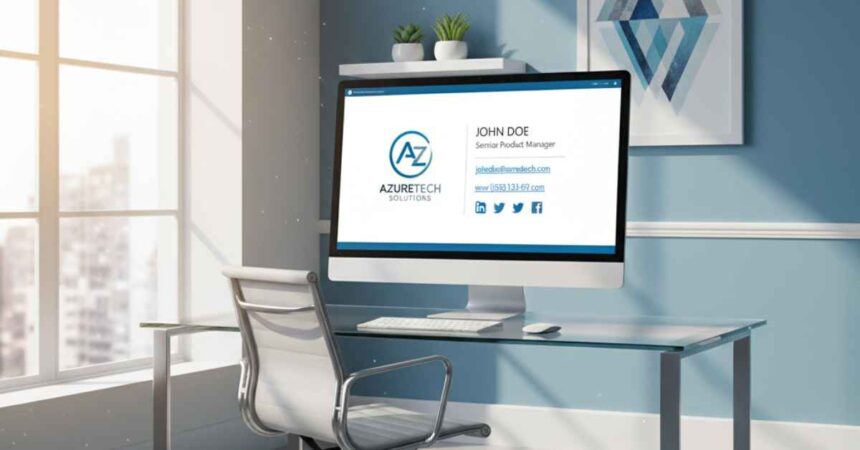
Wondering how to edit email signature outlook settings to match your new role? 

A professional email signature acts as your digital business card, giving recipients your essential contact information at a glance. 

Outlook makes it simple to customize this space with text, images, and links. You can update your details in just a few clicks to keep your daily communications looking sharp.

Step-by-Step Guide to Editing Your Email Signature

  1. Open Outlook Settings

    Launch Outlook and click on the Gear Icon in the upper-right corner to access the settings menu. From there, select View all Outlook settings at the bottom of the dropdown.
  2. Navigate to Email Signature Settings

    Once in settings, click on the Compose and reply option under the Mail tab. This section contains all the tools you need to edit or create your email signature.
  3. Edit or Create Your Signature

    Scroll to the Email signature box. Here, you can type in your details, add images, and format text. If creating a new signature, click New signature, name it, and start editing.
  4. Apply the Signature to Messages

    Below the editing box, you’ll see options to automatically include your signature in new emails or replies/forwards. Toggle these settings on or off as needed.
  5. Save Your Changes

    Once you’re satisfied with your updated signature, click Save at the bottom of the settings panel to ensure your updates are applied. You’re all set!

Best Practices for an Effective Outlook Signature

  • Keep It Simple and Professional: Your email signature should be clear and concise. Avoid overloading it with too much information or excessive design elements. Stick to essential details such as your name, job title, company, and contact information.
  • Use Readable Fonts and Sizes: Select a clean, easily readable font like Arial, Calibri, or Verdana. Ensure the font size is not too small or too large to maintain readability, typically between 10-12pt.
  • Include Relevant Links: Add links to your company website, portfolio, or social media profiles (if applicable). Ensure the links are clickable and direct recipients to the intended pages.
  • Minimal Use of Images: While images like your company logo can add a professional touch, avoid using large or excessive graphics to prevent display issues in some email clients.
  • Stay Mobile-Friendly: Many recipients will view your email on their mobile devices. Design your signature to look clean and professional across a variety of screen sizes.
  • Avoid Excessive Contact Details: Include only the most relevant contact details such as your phone number, email, or office address. Too much information can clutter your signature and distract from its purpose.
  • Test Your Signature: Before finalizing your signature, send test emails to yourself and others. This helps to spot any formatting issues or display inconsistencies across different devices and email platforms.

By applying these best practices, you’ll ensure your Outlook signature represents you and your organization in the most professional and effective way possible.


Similar Posts

How EV Route Planner Transforms Operations
How Do You Earn PokéCoins on Pokémon GO? Easy Guide
How To Create a Man in Infinite Craft
Share This Article
Facebook Whatsapp Whatsapp Email Print
ByAlex Marz
CEO Of ItsEasyTech - A Real Newbie Learning To Be A Successful Tech Guide. Loves Tech And Gadgets.
Leave a Comment Leave a Comment

Leave a Reply Cancel reply

Your email address will not be published. Required fields are marked *

Read More

How Do You Earn PokéCoins on Pokémon GO? Easy Guide
April 25, 2026
How To Create a Man in Infinite Craft
April 23, 2026
How to Help Your Sales Team Close Deals Faster
May 9, 2026
Global Business Managementt
How Leveraging Ba Insight vs Shelfio Enhances Business Efficiency?
May 6, 2026
playmarket
The Ceasefire the Market Did Not See: Why the Polymarket Dispute Could Become a Precedent for the Entire Industry
April 29, 2026
How EV Route Planner Transforms Operations
April 28, 2026
CryptocurrencyFinance

Decentralized Cross-Chain Swaps: The Future of Multi-Blockchain Trading

Cross-Chain Swaps

The blockchain world is growing rapidly, but it's also getting more complex with many networks and systems. As people explore various blockchains, the need for these systems to communicate easily…

Red Eliot
April 29, 2026

Your may also like!

Best VPNs to use

6 Best VPNs To Use in 2025 (Features, Pros, Cons)

Express VPN
best RARBG Torrent Alternative Sites

10 Best RARBG Torrent Alternative Sites in 2026

Alex Marz
April 11, 2026
Best AI Video Creation Tools in 2026 for Effortless Content

Best AI Video Creation Tools in 2026 for Effortless Content

Alex Marz
March 19, 2026

Always Stay Up to Date

Subscribe to our Newsletter for Daily Updated Tech Contents!

Find us on Social Media

Facebook Pinterest X-twitter Youtube

© 2026 | ITSEASYTECH.COM. All Rights Reserved.

ItsEasyTech

More from ItsEasyTech

  • About Us
  • Disclamier
  • Privacy & Cookie Policy
  • Terms and Condition
  • Write For Us
Welcome Back!

Sign in to your account

Username or Email Address
Password

Lost your password?