WRITE FOR US
ItsEasyTech
  • Social Media
    • FacebookFacebook
    • SnapchatSnapchat
    Social Media
    We ItsEasyTech will cover social media guides, tips, and how-tos here. Our content is 100% original and based on in-depth research covering Facebook to TikTok…
    Show More
    Top News
    How To See How Many Friends You Have on Snapchat
    How To See How Many Friends You Have on Snapchat
    March 10, 2022
    How to Auto-Delete Facebook Posts After 30 Days (Without Plugins)
    How to Auto-Delete Facebook Posts After 30 Days (Without Plugins)
    July 19, 2025
    best funny kahoot names
    50 Best Creative and Funny Kahoot Names
    January 10, 2024
    Latest News
    What Do the Eyes Emoji Mean on Snapchat Story?
    July 21, 2026
    How to Delete Twitter Followers (Step-by-Step)
    July 21, 2026
    How to Fix the Server Invite API Down Error in Discord
    July 21, 2026
    Is Telegram Anonymous? The Honest Answer Most People Don’t Expect
    June 18, 2026
  • How To
    How ToShow More
    How to Migrate VMware ESXi to Proxmox
    How to Migrate VMware ESXi to Proxmox: A Practical Pre-Cutover Checklist
    August 16, 2026
    How to Install Freevee on Kodi
    How to Install Freevee on Kodi
    August 1, 2026
    What Does Density Do in Minecraft?
    What Does Density Do in Minecraft?
    August 1, 2026
    See Mutual QFriends On Snapchat
    What Do the Eyes Emoji Mean on Snapchat Story?
    July 21, 2026
    How to Delete Twitter Followers
    How to Delete Twitter Followers (Step-by-Step)
    July 21, 2026
  • Reviews
    ReviewsShow More
    The Best Adobe Photoshop Alternatives
    The Best Adobe Photoshop Alternatives That Don’t Slow Your PC
    July 30, 2025
    Protect Your Privacy: The Case for Anonymous Hosting 
    December 11, 2024
    Plaud Note Review Is This the Best Voice Recorder
    Plaud Note Review: Is This the Best Voice Recorder?
    July 15, 2024
    Forerunner 165 review
    Forerunner 165 Review: Garmin’S Budget OLED Running Watch
    March 4, 2024
    best ufo movies to watch
    The UFO Movies to Put on Your Must-Watch List Today
    October 30, 2023
  • Tech Updates
    Tech UpdatesShow More
    How to Migrate VMware ESXi to Proxmox
    How to Migrate VMware ESXi to Proxmox: A Practical Pre-Cutover Checklist
    August 16, 2026
    What Jobs Can You Actually Get With a CS Degree?
    What Jobs Can You Actually Get With a CS Degree?
    August 3, 2026
    How to Install Freevee on Kodi
    How to Install Freevee on Kodi
    August 1, 2026
    baby massage oil
    Understanding Which Oil is Best for Baby Massage: Ayurvedic Guide for Parents
    July 28, 2026
    Software QA and Testing Services How to Ship Reliable Software Every Time
    Software QA and Testing Services: How to Ship Reliable Software Every Time
    July 24, 2026
  • Business
    • Cryptocurrency
    Business
    Get the latest news and insights from the world of digital currencies, and stay informed about the financial markets with our easy-to-use tools.
    Show More
    Top News
    Litecoin exchange guide
    Litecoin Exchange Guide: How to Buy, Trade, and Sell Litecoins
    April 4, 2026
    Digital law firm
    The Comprehensive Guide to Law Firm Regulations in Crypto, NFTs, Web3, and Blockchain
    April 11, 2026
    How to Take Your Business from Zero to Hero Every successful business starts with a simple idea, be it to sell bespoke trainers or offer party decorating services, but turning that idea into a thriving, recognizable brand takes strategy, consistency, and the right support. Whether you’re launching a new venture or trying to revive a struggling one, growth doesn’t happen by accident. It comes from smart planning, strong marketing, and a willingness to adapt. If you’re ready to take your business from zero to hero, here are the essential steps to help you rise above the competition. 1. Build a Solid Brand Foundation Before you can grow, you need to establish who you are and what your business stands for. Start with a clear brand identity. What is your mission? Do you have values that you want to uphold? Have you decided upon a tone of voice and visual style? All of these elements form the foundation of your reputation and guide how you communicate with your audience, so they require plenty of thought. Once you’ve decided, remember that consistency is key. You need to use the same branding across your website, social media profiles, marketing materials, and emails. This creates recognition and helps customers feel confident in your professionalism. A strong, unified identity not only attracts attention but also builds trust. This is something every “hero” brand needs to succeed. 2. Create a Website That Works for You Your website is often the first impression potential customers have of your business, so make sure it delivers. It should be visually appealing, easy to navigate, and optimized for both desktop and mobile devices. Every page should clearly guide visitors toward taking action, whether that’s making a purchase, booking a service, or contacting you. Pair this with high-quality images, clear messaging, and engaging content, and this will help keep visitors interested, while fast load times and secure checkout processes ensure a positive user experience. The better your site performs, the more likely customers are to trust your brand and convert. 3. Leverage SEO to Build Visibility and Trust Even the best website won’t drive results if no one can find it. That’s where search engine optimization (SEO) comes in. SEO helps your website rank higher on Google and other search engines, putting your business in front of people actively searching for what you offer. However, SEO is complex; it’s not just about keywords. It involves optimizing your site structure, improving content, building backlinks, and understanding search algorithms. For many businesses, this can be overwhelming to manage alone. That’s why turning to SEO consulting services can be a game-changer. SEO consultants bring expertise, tools, and proven strategies to help you achieve faster and more sustainable growth. They analyze your website, identify weaknesses, and create a tailored plan to improve rankings and drive more qualified traffic. By working with professionals, you avoid common pitfalls and ensure that your SEO strategy aligns with your broader business goals. An experienced consultant can also keep your business up to date with the latest algorithm changes and best practices, ensuring your progress stays on track. 4. Create Valuable Content That Connects To truly take your business to the next level, focus on creating content that educates, entertains, or inspires your target audience. Blog posts, guides, videos, and infographics are all excellent ways to build credibility and drive engagement. Valuable content like this doesn’t just attract attention; it keeps people coming back. The more you share your knowledge and insight, the more authority your brand gains. Over time, your audience will begin to see you not just as a business, but as a trusted industry leader. 5. Track, Adapt, and Grow Every great business pays attention to its data, so start to use analytics tools to track your website performance, SEO progress, and customer behavior. This helps you understand what’s working and what needs improvement. Don’t be afraid to adjust your approach based on the results. Markets change, trends evolve, and customer needs shift. The ability to adapt quickly is what separates growing businesses from stagnant ones. Final Thoughts Taking your business from zero to hero isn’t about luck; it’s about strategy, consistency, and expert guidance. With the right foundation and the right experts by your side, your business has everything it needs to become the hero of its own story.
    How to Take Your Business from Zero to Hero
    November 5, 2025
    Latest News
    How to Verify a BNB Chain DApp Before You Connect Your Wallet
    August 13, 2026
    Token Launch Marketing: What Web3 Startups Get Wrong Before TGE
    August 8, 2026
    What Jobs Can You Actually Get With a CS Degree?
    August 3, 2026
    Software QA and Testing Services: How to Ship Reliable Software Every Time
    July 24, 2026
ItsEasyTechItsEasyTech
Font ResizerAa
Search
Follow US
© Foxiz News Network. Ruby Design Company. All Rights Reserved.
ItsEasyTech > How To > How to Turn Any Monitor Into a Touchscreen for Under $50
How ToTech Updates

How to Turn Any Monitor Into a Touchscreen for Under $50

Alex Marz
Last updated: April 11, 2026 7:25 pm
Alex Marz
Share
11 Min Read
How to Turn Any Monitor Into a Touchscreen for Under $50
SHARE

In today’s digital world, touchscreens are popular because they are easy to use. However, touchscreen monitors can be pricey. Did you know you can turn any monitor into a touchscreen for under $50?

With some simple gadgets, software and a DIY approach, you can enjoy touchscreen features without spending a lot. 

Contents
  • How Touchscreen Technology Works?
  • Types of Touchscreen Technologies
  • 5 Budget-Friendly Touchscreen Conversion Products Under $50
    • 1. AirBar Touchscreen Converter
    • 2. EGalax USB Touchscreen Kit
    • 3. FunTasica Touchscreen Overlay
    • 4. UC-Logic Touch Kit
    • 5. DIY Webcam Touch Mod (Free Software)
  • FAQs
    • 1. What do I need to convert my monitor into a touchscreen?
    • 2. Can any monitor be converted into a touchscreen?
    • 3. How does a touchscreen conversion kit work?
    • 4. Is installing a touchscreen conversion kit difficult?
    • 5. Are there any limitations to using a converted touchscreen monitor?
  • Conclusion

This guide shows you how to use affordable kits and easy steps to convert your regular monitor into a touchscreen. Skip the expensive upgrades and try this simple, practical solution instead.

How Touchscreen Technology Works?

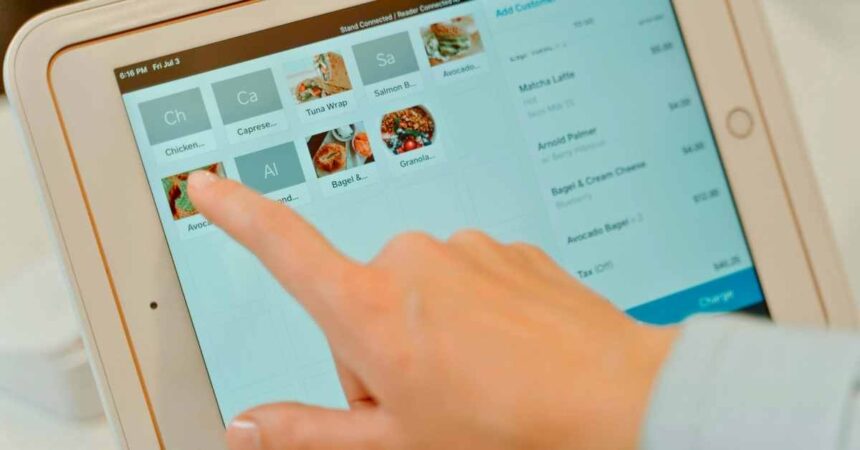
Touchscreen technology is a fascinating innovation that has changed the way we interact with digital devices. At its core, a touchscreen allows users to interface with a device using a touch gesture—either from a finger or a stylus—eliminating the need for a mouse or physical buttons. 

How Touchscreen Technology Works

It functions by detecting the location and movement of touch inputs on the screen’s surface. This is achieved through various technologies that translate touch position into commands that the device can understand and act upon.

Types of Touchscreen Technologies

There are several types of touchscreen technologies in use today, each with unique characteristics suited to different applications:

1. Resistive Touchscreen: This type consists of two thin, flexible layers that are separated by a small gap. When the screen is touched, the layers come into contact, altering the screen’s electrical resistance at that point, and allowing the position-based input to be processed. Resistive touchscreens are affordable and operate well with gloves or styluses. However, they offer lower clarity and multitouch capability compared to other types.

2. Capacitive Touchscreen: This technology uses a layer of capacitive material to hold an electrical charge, and the human body naturally disrupts this charge when the screen is touched. Capacitive screens support multitouch and offer excellent clarity and durability, which is why they’re common in smartphones and tablets. However, they don’t work well with gloves unless they have capacitive touch technology.

3. Infrared (IR) Touchscreen: Employing an array of IR light beams across the screen, this type detects touch points by sensing breaks in the light patterns when touched. IR touchscreens are highly accurate and durable, can detect any pointing device, and do not require touch pressure. They are often used in industrial environments.

4. Surface Acoustic Wave (SAW) Touchscreen: Utilizing ultrasonic waves on the screen’s surface, SAW screens detect touch by measuring the disruption of these waves. They offer high visibility and responsiveness. However, they are more vulnerable to dust and wet surfaces, affecting performance in some environments.

5. Optical Imaging: This increasingly popular technology uses image sensors around the screen to detect touch. It allows for highly responsive inputs and is suitable for larger screens. Optical imaging is cost-effective and supports multitouch gestures.

5 Budget-Friendly Touchscreen Conversion Products Under $50

Transforming a regular monitor into a touchscreen doesn’t have to be costly. With a variety of budget-friendly options available, you can achieve this for under $50. 

Here are five products that can help you convert your monitor into a touchscreen:

1. AirBar Touchscreen Converter

Price: Approximately $49.99

The AirBar is a cutting-edge product that easily adds touch functionality to any 15.6″ monitor using infrared technology. To use, simply attach the AirBar to the bottom bezel of your monitor via magnets and connect it to your computer via USB. With its support for 10-point touch, it offers an upgrade suitable for artists or educators seeking quick touch capability without needing permanent hardware modifications. Note that it is compatible with Windows 10/11 but does not support Mac or Linux systems.

2. EGalax USB Touchscreen Kit

Price: Approximately $42.95

Designed for monitors up to 22 inches, the EGalax USB Touchscreen Kit is an easy-to-install infrared touch kit that offers excellent performance. The kit includes a slim aluminum frame that mounts around your monitor and a USB controller.

Additionally, It’s plug-and-play for Windows systems and supports intuitive multi-touch gestures, making it perfect for DIY enthusiasts or professionals converting monitors for kiosk or interactive display use. Its durability and performance in low-light environments provide additional benefits.

3. FunTasica Touchscreen Overlay

Price: Approximately $35.99

This resistive touchscreen overlay is a budget-friendly option for basic touch inputs, such as signing digital documents. Suitable for monitors measuring between 15 and 17 inches, the FunTasica Touchscreen Overlay attaches directly to the monitor’s surface with adhesive strips.

It comes with a USB controller and supports both Windows and Linux. While not as responsive as other tools like IR kits, it stands out for its simplicity and cost-effectiveness.

4. UC-Logic Touch Kit

Price: Approximately $49.50

The UC-Logic Touch Kit is designed specifically for 19″ monitors and features infrared technology. Known for offering high accuracy with a 1mm error margin, this kit is suitable for upgrading older monitors into touch-enabled POS systems in business environments.

It supports Windows 7 through 11 and includes an adjustable frame that accommodates various bezel thicknesses, along with an anti-glare film to enhance visual performance.

5. DIY Webcam Touch Mod (Free Software)

Price: Free (software download)

For the truly budget-conscious, the DIY Webcam Touch Mod provides a unique method of creating a makeshift touchscreen experience with existing resources. Using the open-source Touché software, this solution employs a standard webcam and AI to interpret hand gestures as touch inputs, effectively simulating a touchscreen interface. 

While the accuracy rate is about 80% and highly dependent on good lighting and screen elements contrast, it’s a free solution that works cross-platform—ideal for experimental projects or temporary setups.

As technology continues to evolve, enhancing your existing equipment with cost-effective solutions has never been easier. Whether for art, business, or personal projects, these touchscreen conversion products offer affordable and accessible ways to bring a touch of modern convenience to your workspace.

FAQs

1. What do I need to convert my monitor into a touchscreen?

To convert your monitor into a touchscreen, you’ll require a touchscreen kit specifically designed for this purpose. These kits typically consist of a transparent touchscreen film and a controller that connects to your monitor. 

The installation process is straightforward and does not generally require any technical expertise. Most kits are designed to adhere to your monitor’s surface without leaving any residue, ensuring easy removal if needed.

2. Can any monitor be converted into a touchscreen?

Yes, virtually any monitor can be converted into a touchscreen as long as the screen size matches that of the touchscreen film included in your kit. However, it’s essential to verify whether the kit you choose supports your specific monitor model and size. 

Some older monitors might not be compatible due to outdated input connections. Always ensure that both your monitor and touchscreen kit are compatible before proceeding with the installation.

3. How does a touchscreen conversion kit work?

A touchscreen conversion kit transforms a standard monitor into a touchscreen by applying a thin, transparent, conductive film onto the display. This film detects touch by sensing the electrical changes created when a finger or stylus makes contact. 

The controller included in the kit then translates these signals into commands recognized by your computer. This setup allows you to interact with your PC similarly to how you would with a regular touchscreen device, such as a tablet or smartphone.

4. Is installing a touchscreen conversion kit difficult?

Installing a touchscreen conversion kit is typically simple and can be completed in under an hour. Most kits come with a set of straightforward instructions.

Generally, you will need to clean your monitor’s surface, carefully apply the touchscreen film, and connect the controller to your computer. Manufacturers usually design these kits for ease of use, making them accessible even for those with minimal technical skills.

5. Are there any limitations to using a converted touchscreen monitor?

While converting a monitor into a touchscreen opens up numerous interactive possibilities, there are a few limitations to consider. The touchscreen film can slightly affect the display’s brightness and clarity, although this varies depending on the film’s quality. 

Additionally, touch response might not match the native responsiveness of monitors designed originally as touchscreens. Nonetheless, for most basic applications such as browsing, using applications, or drawing, a converted touchscreen performs adequately.

Conclusion

Transforming your monitor into a touchscreen doesn’t have to be a costly endeavor. With touchscreen conversion kits available for under $50, you can upgrade your display technology without breaking the bank. 

These kits are user-friendly and come with straightforward instructions, making them accessible to anyone eager to enhance their home or office workspace. By following the steps outlined above, you can enjoy the benefits of touchscreen technology, making tasks like browsing, designing, and gaming more interactive and efficient.


Similar Posts

How to Migrate VMware ESXi to Proxmox: A Practical Pre-Cutover Checklist
What Jobs Can You Actually Get With a CS Degree?
How to Install Freevee on Kodi
Share This Article
Facebook Whatsapp Whatsapp Email Print
ByAlex Marz
CEO Of ItsEasyTech - A Real Newbie Learning To Be A Successful Tech Guide. Loves Tech And Gadgets.

Read More

What Does Density Do in Minecraft?
August 1, 2026
Armadillo Spawn Rate in Minecraft
July 21, 2026
How to Migrate VMware ESXi to Proxmox
How to Migrate VMware ESXi to Proxmox: A Practical Pre-Cutover Checklist
August 16, 2026
What Jobs Can You Actually Get With a CS Degree?
August 3, 2026
How to Install Freevee on Kodi
August 1, 2026
baby massage oil
Understanding Which Oil is Best for Baby Massage: Ayurvedic Guide for Parents
July 28, 2026
Cryptocurrency

How to Verify a BNB Chain DApp Before You Connect Your Wallet

How to Verify a BNB Chain DApp Before You Connect Your Wallet

Decentralized applications make it possible to interact with financial protocols directly from a crypto wallet. That convenience also changes the user's responsibility. There may be no bank representative, app-store review…

Sunil Thapa
August 13, 2026

Your may also like!

Best Study Apps for Students

6 Best Study Apps for Students in 2026

Alex Marz
April 23, 2026
5 Best Apple Carplay Apps To Use

5 Best Apple Carplay Apps To Use in 2026

Alex Marz
April 20, 2026
best RARBG Torrent Alternative Sites

10 Best RARBG Torrent Alternative Sites in 2026

Alex Marz
April 11, 2026

Always Stay Up to Date

Subscribe to our Newsletter for Daily Updated Tech Contents!

Find us on Social Media

Facebook Pinterest X-twitter Youtube

© 2026 | ITSEASYTECH.COM. All Rights Reserved.

ItsEasyTech

More from ItsEasyTech

  • About Us
  • Disclamier
  • Privacy & Cookie Policy
  • Terms and Condition
  • Write For Us
Welcome Back!

Sign in to your account

Username or Email Address
Password

Lost your password?