
Reverse image search is a clever method for conducting picture searches. It’s similar to keyword research but uses photos. Similar to text-based search queries, the reverse image search provides several search results. It will display a list of the sites that contain the photos you want.
You may trace the source of any picture on the internet by performing a reverse image search, additionally, you can grab the area where the picture has been used and receive alternate sizes and ideas from your desired photo.
To put it simply, reverse image search is a query strategy for content-based picture search. The image supplied to the image search engine serves as the search query, making it convenient for users to find items that they are not likely to be sure about.
Why Use Reverse Image Search?
There are billions of photos on the internet. Browsing through 100s of photographs returned by each text search is difficult, and you may not discover what you’re searching for.
You may have seen a dog but do not know what breed it is. Alternatively, you may purchase a dress that is identical to or close to the one which someone else is wearing. In such cases, a reverse image search is preferable to describe the situation to the search engine. It’s simpler to show a buddy an image than it is to describe what it is about.
For designers and content providers, reverse image search is a simple approach to see if their work has been shared or republished online against their approval. The finest feature is that authors may also search for changed copies of their content.
How Does Reverse Image AI Tool Operate?
Recognition software and various computer vision tech enable reverse image search. While various reverse image search engines operate in various ways, here is a general explanation of how reverse image search functions.
When you enter a picture into a reverse image search tool, it analyzes it to find the image’s main distinguishing features, such as colors, lines, patterns, forms, and surfaces. Fingerprinting is the technique of detecting the properties of a picture to distinctly identify it.
It creates a search using these characteristics. Algorithms then utilize this search to match the picture to the millions of pictures available to the search engine. Lastly, on the actual results page, the search engine provides matched and visually related photographs.
Advantages of Reverse Image Searching
Here are some of the advantages of Reverse Image Search.
1. Determines The Source of a Picture
Websites seem to be the most popular medium for company promotion. You must utilize pictures that are useful and engaging to what you’re doing. Imagery aids in conveying a message and demonstrating the services you provide.
These days, it is typical for sites to post photographs that may not be their own but rather cloned images. When you’re hunting for photographs for your website, you stumble throughout the website with duplicated images.
As a result of your conduct, they gain natural linkages. A reverse image search eliminates the possibility of making such a mistake. As a content developer, you must properly attribute any borrowed visuals.
2. Content Identification
You may come across individuals with fake accounts and postings on social media if you utilize these platforms to engage with them. This might endanger your business if it goes undiscovered. On the other hand, using a reverse image search engine, you may detect this fakeness by conducting an authentication test on their accounts and photographs.
Re-sharing stories or information from other company owners in your area is normal practice for most firms. However, not all of the materials from these peers are genuine. A reverse image search tool assists you in detecting fake content before sharing it.
3. Identification of Celebrities Names
Many of us are intrigued by celebrities in TV shows, movies, or publications. performing just a reverse image search, you may learn the name or birthplace of someone. You may also acquire the most recent version of a picture using a reverse image search tool. This is if your current picture isn’t doing you justice. A reverse image search might provide you with an alternative size, type, or variant of a picture.
How Does A Reverse Image Search Tool Work?
To perform reverse image search there are multiple platforms such as google images, Bing images Yandex, however, IMAGE SEARCH.ONLINE is an AI tool that has an easy user interface, multiple functions, is efficient, accurate, and performs research image searches in a few minutes with the best and yet most precise results.
Basic Guide For Image Search.Online
The basic steps for performing reverse image search are almost identical on all platforms. First, you need to download/save the image you want to search online on your PC/mobile. Upload the image you want to search for and press the search button to get results. The image that you have searched and related images will be shown on the screen in the form of a result. Let’s have a look at how to reverse search images on Imagesearch.online.
1. Search Imagesearch.online on your browser and go to its home page
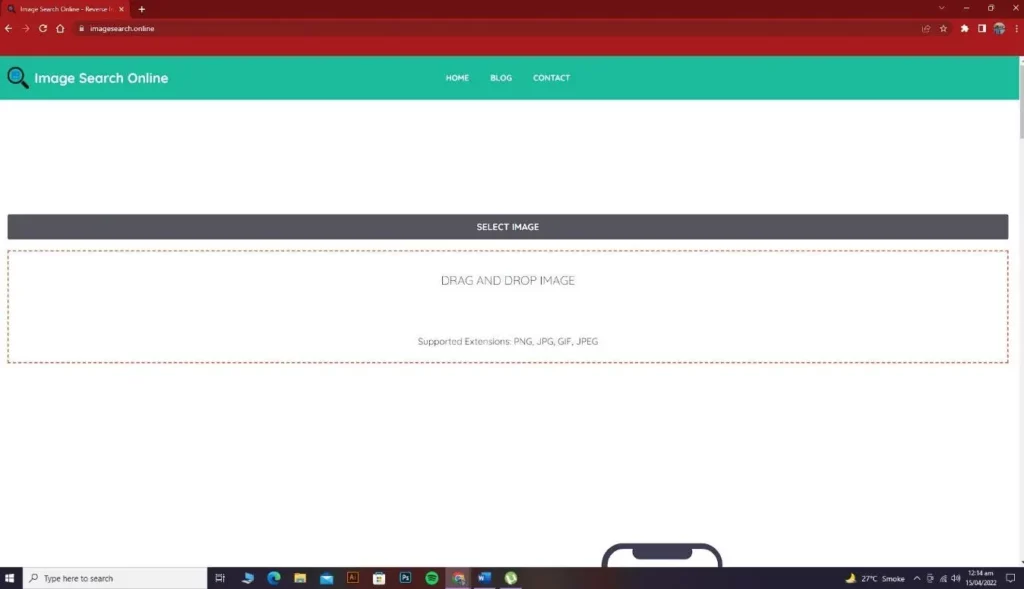
2. Click on the select image button if you have downloaded a picture, or you can drag or drop images as per your desire. The supported extensions on this tool are PNG, JPG, GIF, and JPEG.
3. Upload the image from your device that you want to search.
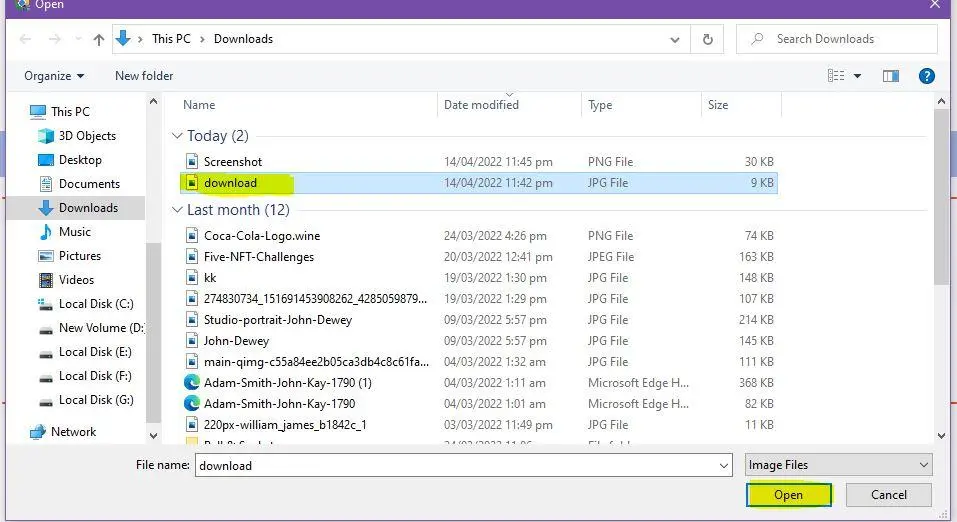
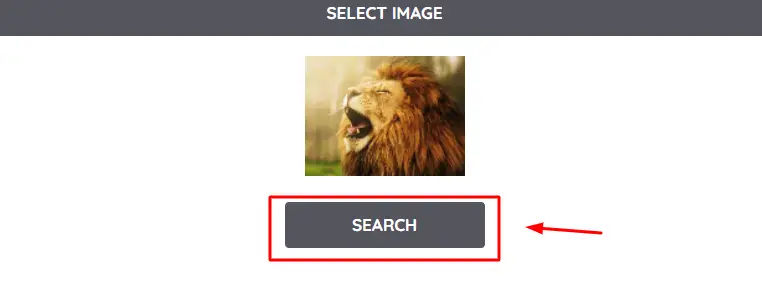
4. Once the picture is uploaded, hit the search button.
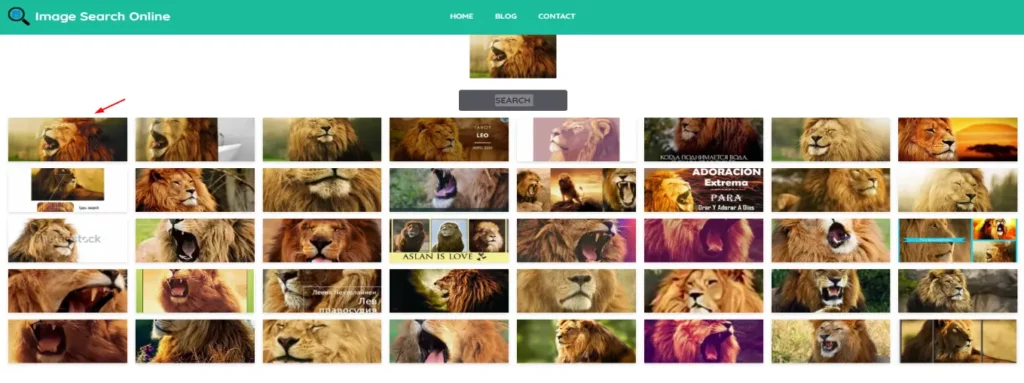
5. The tool will show you all the related images. You can select any picture to view the site it was uploaded to and its resolution.
Following are some other searches made on this AI tool:
This is an Anime where you can see related pictures of different sizes, colors, and resolutions.
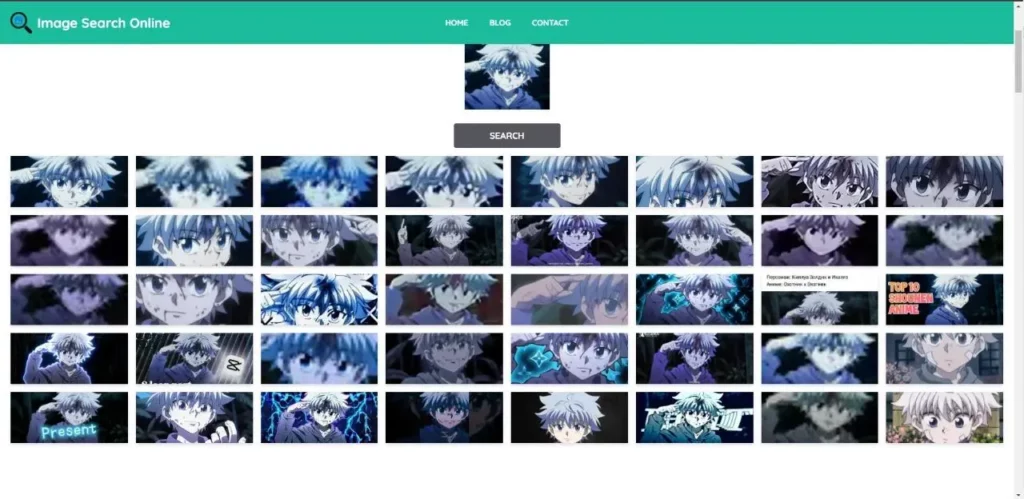
This is an image search related to a famous personality, where you can easily find his name and other images related to his quotes.

Pros & Cons of Reverse Image Search
Here are some pros and cons of Reverse image search.
Pros
- Images may be searched through any smart devices and desktop computers.
- If you believe in giving credit to the source, find an actual creator of a picture.
- Determine whether others are utilizing your photographs without your approval.
- Find photographs that are aesthetically comparable or that are more relevant.
- Determine the identity of items, people, locations, and services.
- Perform an image search without risking your privacy.
Cons
- Several searches create photos that are no more accessible to people for a variety of reasons, including SEO, inactive links, and indexing which could influence restrictions.
- Several times, a picture with less than 300 pixels used as an input data set could provide invalid RIS search results. That will be detrimental to your content.
Conclusion
The world is advancing day by day with new emerging AI tools to fasten your work, reverse image searches are really helpful with whether to find certainty for an image or to identify content.
There are numerous reverse image searches software and tools with different features but we highly recommend you to use the AI tool search engine that is imagesearch.online, having an easy-to-use interface the user can easily upload the image to search without any restrictions, with the best accurate, desired, and viable results.
The tool is highly efficient, and reliable, producing results that no other image search tool can!