WRITE FOR US
ItsEasyTech
  • Social Media
    • FacebookFacebook
    • SnapchatSnapchat
    Social Media
    We ItsEasyTech will cover social media guides, tips, and how-tos here. Our content is 100% original and based on in-depth research covering Facebook to TikTok…
    Show More
    Top News
    How To Clear Recents on Snapchat
    How To Clear Recents on Snapchat
    April 11, 2026
    TikTok
    Wo Xing Shi Viral TikTok Lyrics  
    January 6, 2026
    find someone on onlyfans
    How To Find Someone On OnlyFans Easily
    February 10, 2024
    Latest News
    Does Facebook Notify When You Save a Photo?
    April 14, 2026
    How to See Deleted Messages in Discord (3 Easy Methods)
    February 3, 2026
    How to Turn One YouTube Video into 10 TikToks/Shorts with AI
    January 8, 2026
    Can Someone See if You Search Their Name on Facebook? (The 2026 Myths vs. Reality)
    January 6, 2026
  • How To
    How ToShow More
    does facebook notify when you save a photo
    Does Facebook Notify When You Save a Photo?
    April 14, 2026
    How to block adult content on iPhone
    How to Block Adult Content on iPhone in 4 Easy Ways
    April 14, 2026
    How to Edit Email Signature Outlook Settings Quickly
    How to Edit Email Signature Outlook Settings Easily
    April 11, 2026
    How to Type the Degree Symbol on a Mac Keyboard
    How to Type the Degree Symbol on a Mac Keyboard
    April 11, 2026
    Why Small Businesses in Kent Are Rethinking How They Handle IT
    Why Small Businesses in Kent Are Rethinking How They Handle IT
    March 17, 2026
  • Reviews
    ReviewsShow More
    The Best Adobe Photoshop Alternatives
    The Best Adobe Photoshop Alternatives That Don’t Slow Your PC
    July 30, 2025
    Protect Your Privacy: The Case for Anonymous Hosting 
    December 11, 2024
    Plaud Note Review Is This the Best Voice Recorder
    Plaud Note Review: Is This the Best Voice Recorder?
    July 15, 2024
    Forerunner 165 review
    Forerunner 165 Review: Garmin’S Budget OLED Running Watch
    March 4, 2024
    best ufo movies to watch
    The UFO Movies to Put on Your Must-Watch List Today
    October 30, 2023
  • Tech Updates
    Tech UpdatesShow More
    WHY THE FIRST 5 YEARS OF RETIREMENT ARE THE MOST DANGEROUS
    WHY THE FIRST 5 YEARS OF RETIREMENT ARE THE MOST DANGEROUS
    April 15, 2026
    How to block adult content on iPhone
    How to Block Adult Content on iPhone in 4 Easy Ways
    April 14, 2026
    How to Edit Email Signature Outlook Settings Quickly
    How to Edit Email Signature Outlook Settings Easily
    April 11, 2026
    How to Type the Degree Symbol on a Mac Keyboard
    How to Type the Degree Symbol on a Mac Keyboard
    April 11, 2026
    Business Owners Key Considerations for Sharepoint Online Search Connectors
    Business Owners: Key Considerations for Sharepoint Online Search Connectors
    April 11, 2026
  • Business
    • Cryptocurrency
    Business
    Get the latest news and insights from the world of digital currencies, and stay informed about the financial markets with our easy-to-use tools.
    Show More
    Top News
    Bitcoin Future Cryptocurrency
    Is Bitcoin a Form of Future Cryptocurrency
    January 17, 2023
    finance
    Refinansiering Av Lån Uten Sikkerhet: Is It Possible & How to Do It?
    November 5, 2023
    How to Use AI Tools to Automate Your Daily Workflow
    How to Use AI Tools to Automate Your Daily Workflow
    August 19, 2025
    Latest News
    Business Owners: Key Considerations for Sharepoint Online Search Connectors
    April 11, 2026
    How Custom Software Helps Restoration Companies Grow Faster
    March 25, 2026
    Essential Financial Technologies for Scaling Your Tech Business Internationally
    March 11, 2026
    How to Use ChatGPT to Write SOPs (Plus Free Templates)
    January 8, 2026
ItsEasyTechItsEasyTech
Font ResizerAa
Search
Follow US
© Foxiz News Network. Ruby Design Company. All Rights Reserved.
ItsEasyTech > Tech Updates > Free & Easy Way To Merge Multiple PDFs On Windows Or Mac
Tech Updates

Free & Easy Way To Merge Multiple PDFs On Windows Or Mac

Alex Marz
Last updated: March 11, 2023 12:14 pm
Alex Marz
Share
8 Min Read
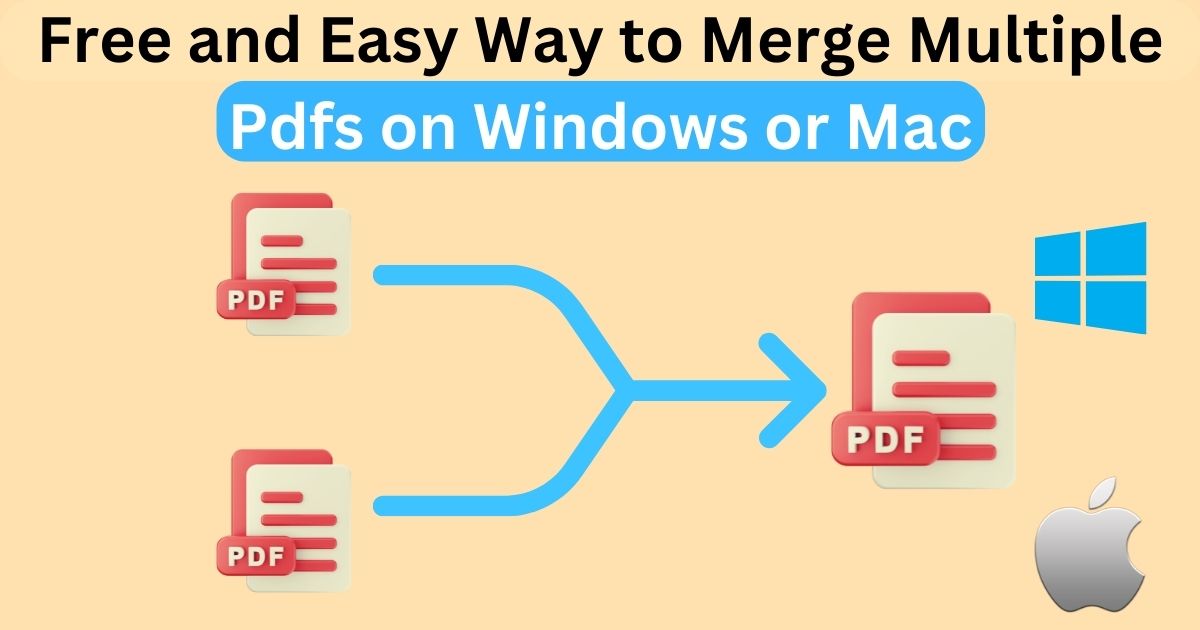
Free and Easy Way to Merge Multiple Pdfs on Windows or Mac
SHARE

Do you have several PDF files that you need to combine on Windows or Mac?

Don’t know how to perform this task?

Contents
  • How To Combine Pdf Files On Windows Or Mac?
    • 1. Upload PDF Documents
    • 2. Arrange The Uploaded Files
    • 3. Download The Unified File
  • Key Features Of The Best PDF Merger
  • Why Do People Need To Merge PDF Files?
    • 1. Managing Multiple Participants’ Projects
    • 2. Saving The Device’s Space
    • 3. Working With Various Operating Systems
  • Bottom Lines 
  • Further Reading

If you respond with yes, you have come to the right place. 

Making one comprehensive PDF document out of multiple files is simpler and easier than you think on both Windows and Mac.

This article will walk you through how to join piles of PDFs on Windows or Mac. 

Let’s get started!

How To Combine Pdf Files On Windows Or Mac?

Thanks to technology, merging multiple PDF files on Windows or Mac is not difficult these days.

An online PDF combining tool has made the PDF-joining procedure easier. Not only does it help you merge bulks of documents in one place, but it also preserves the original format. 

How cool it is!

All you need to do is visit “ https://www.mergepdf.io/ ” which is a free PDF combiner online. 

To merge PDF files online, you need to follow these steps:

1. Upload PDF Documents

Upload PDF Documents

Tap on the “Choose File” button and upload all PDFs you want to merge. You can also drag and drop PDF files there. 

2. Arrange The Uploaded Files

Arrange Uploaded Documents

Now is the time to sort the uploaded files in the order you want. After that, hit the “Merge PDF” option.

3. Download The Unified File

Download PDF Documents

Your files will be ready to download in a few seconds. Lastly, press the “Download” icon. It’s simple and easy!

Key Features Of The Best PDF Merger

These are the must-have features of the best PDF combiner. 

  • Absolutely Free

A merge PDF online tool is 100% free to use. Moreover, you can use it as many times as you want. 

There is no usage restriction. 

  • User-Friendliness

You do not need to panic if you are not computer-savvy. 

Even if you are using a trustworthy PDF joining tool for the first time, you can use it without any hassle. 

The interface is quite easy to use. 

  • Works In Several Languages

It does not matter what your region is; the top-quality PDF merging tool speaks your language. 

It is translated into the following languages:

  • English
  • Turkish
  • Italian
  • Dutch 
  • French
  • Spanish
  • Indonesian
  • Portuguese
  • Supports Cloud Storage Platforms 

Suppose you do not want to upload files from your computer. No worries!

You can upload PDFs from Google Drive and Dropbox. 

In this way, you can import files from the cloud, merge them on the PDF joiner, and save them back to the cloud. 

  • Does Not Keep The Processed Document

Your documents are only yours. 

A reliable PDF combiner does not keep a copy of processed files. However, your files in its servers are completely secured, and no one can access these documents.

Instead, they will be erased from the servers after some time.

  • Saves Your Time

The tool has a fast processor that speeds up the entire file-combining procedure. So it helps you save a lot of time. 

  • One-Stop Shop

In addition to merging PDF files, an amazing PDF joiner also performs the following jobs:

  • Converts Word to PDF
  • Converts Excel to PDF
  • Converts PowerPoint 
  • Converts Image to PDF 
  • Works On Windows, Mac, And Linux

As a web-based browser, the tool works on all operating systems, including Mac, Windows, and Linux.

In addition, you can also access it from all devices, including mobile phones, laptops, and desktops. 

Why Do People Need To Merge PDF Files?

Merging your PDF documents saves you time. 

These are some of the reasons people need to combine PDF files online:

1. Managing Multiple Participants’ Projects

If you are working on a project involving numerous employees exchanging papers, merging the PDF file can simplify things. 

When more than one individual or team participates in a project, you receive papers from all ends. 

Using a PDF merging tool can greatly speed up this process and guarantee that the document has all it needs. 

If different parts of the document are submitted in different file formats, they can all be saved as PDF documents and combined instantly.

With all important information in one location, the presentation will seem professional, unified, and much simpler to read.

2. Saving The Device’s Space

Joining PDFs can help you free up your device’s space. 

PDF files may take up a lot of space since they can carry more than just basic text. 

These files often include several vector graphs, tables, photos, and 3D graphics, resulting in greater file size. 

Furthermore, the more distinct files you keep, the more space you use on your computer, tablet, or phone.

In this case, using an online PDF combining tool might help you reduce the device’s space.

Not only is everything in one place, but you can effortlessly move files across devices without worrying about how much storage space you would use.

3. Working With Various Operating Systems

If you are working on a document with many participants, you may run into the problem of numerous operating systems.

As a result, not all file systems will work with every device. And if a participant cannot access the file, it will slow down the process for everyone else.

While this is not a typical problem, it is always a possibility, particularly if you do not have access to your specific device. 

For example, your coworker is using a Word Document file that is incompatible with other users.

 In this case, the benefit of combining PDF files is that PDF documents are accessible on almost any operating system or device type.

Combining your papers into a single PDF file allows everyone to view the file. 

Bottom Lines 

In today’s world, it is important to find efficiency wherever you can. 

Merging your PDF files into a single core document on Windows or Mac will drastically simplify your workflow. 

Combining numerous files helps you save and view your papers more quickly while ensuring that nothing crucial is missed.

You can use an online PDF merging tool to join bulks of PDFs instantly. 

Further Reading

How To Backup and Restore Android Phones

How to Find Duplicate Images on the Internet

Similar Posts

WHY THE FIRST 5 YEARS OF RETIREMENT ARE THE MOST DANGEROUS
How to Block Adult Content on iPhone in 4 Easy Ways
RGB HEX converter: Convert HEX to RGB online
Share This Article
Facebook Whatsapp Whatsapp Email Print
ByAlex Marz
CEO Of ItsEasyTech - A Real Newbie Learning To Be A Successful Tech Guide. Loves Tech And Gadgets.
Leave a Comment Leave a Comment

Leave a Reply Cancel reply

Your email address will not be published. Required fields are marked *

Read More

What do the llamas in Minecraft Eat
April 14, 2026
How to Get to Undermine in WoW: The War Within Guide
February 11, 2026
WHY THE FIRST 5 YEARS OF RETIREMENT ARE THE MOST DANGEROUS
April 15, 2026
does facebook notify when you save a photo
Does Facebook Notify When You Save a Photo?
April 14, 2026
What do the llamas in minecraft eat
What do the llamas in Minecraft Eat
April 14, 2026
How to block adult content on iPhone
How to Block Adult Content on iPhone in 4 Easy Ways
April 14, 2026
GamesGTA

Quick Guide: How To Use Parachute in GTA 5

How To Use Parachute in GTA 5

Grand Theft Auto (GTA) is a franchise that most of us have heard of, if not played. With over 120 million copies sold worldwide, GTA 5 is the second best-selling…

Alex Marz
April 11, 2026

Your may also like!

Best AI Video Creation Tools in 2026 for Effortless Content

Best AI Video Creation Tools in 2026 for Effortless Content

Alex Marz
March 19, 2026
iMini vs Sora AI

Is “iMini AI” Better Than Sora? (Honest Review & Best Alternatives)

Alex Marz
January 21, 2026

ChatGPT Search vs. Perplexity vs. Google: The Battle for Best AI Search

Alex Marz
January 16, 2026

Always Stay Up to Date

Subscribe to our Newsletter for Daily Updated Tech Contents!

Find us on Social Media

Facebook Pinterest X-twitter Youtube

© 2026 | ITSEASYTECH.COM. All Rights Reserved.

ItsEasyTech

More from ItsEasyTech

  • About Us
  • Disclamier
  • Privacy & Cookie Policy
  • Terms and Condition
  • Write For Us
Welcome Back!

Sign in to your account

Username or Email Address
Password

Lost your password?