
WRITE FOR US
ItsEasyTech
  • Social Media
    • FacebookFacebook
    • SnapchatSnapchat
    Social Media
    We ItsEasyTech will cover social media guides, tips, and how-tos here. Our content is 100% original and based on in-depth research covering Facebook to TikTok…
    Show More
    Top News
    How To See How Many Friends You Have on Snapchat
    How To See How Many Friends You Have on Snapchat
    March 10, 2022
    How to Auto-Delete Facebook Posts After 30 Days (Without Plugins)
    How to Auto-Delete Facebook Posts After 30 Days (Without Plugins)
    July 19, 2025
    best funny kahoot names
    50 Best Creative and Funny Kahoot Names
    January 10, 2024
    Latest News
    Is Telegram Anonymous? The Honest Answer Most People Don’t Expect
    June 18, 2026
    How to Record a WhatsApp Call on Android
    June 1, 2026
    How Social Media Insights Can Transform Your Paid Search Strategy
    May 20, 2026
    How to Record a WhatsApp Call on Android & iOS
    April 20, 2026
  • How To
    How ToShow More
    What Do Armadillos Eat in Minecraft
    What Do Armadillos Eat in Minecraft (And Why It Matters)
    June 18, 2026
    How to Set Spawn Point in Minecraft PC
    How to Set Spawn Point in Minecraft PC (Easy Steps)
    June 18, 2026
    How to Turn On Keep Inventory in Minecraft Java
    How to Turn On Keep Inventory in Minecraft Java
    June 18, 2026
    How to Record a WhatsApp Call on Android & iPhone
    How to Record a WhatsApp Call on Android
    June 1, 2026
    How to Find Biomes in Minecraft (Easy Guide)
    How to Find Biomes in Minecraft (Easy Guide)
    June 1, 2026
  • Reviews
    ReviewsShow More
    The Best Adobe Photoshop Alternatives
    The Best Adobe Photoshop Alternatives That Don’t Slow Your PC
    July 30, 2025
    Protect Your Privacy: The Case for Anonymous Hosting 
    December 11, 2024
    Plaud Note Review Is This the Best Voice Recorder
    Plaud Note Review: Is This the Best Voice Recorder?
    July 15, 2024
    Forerunner 165 review
    Forerunner 165 Review: Garmin’S Budget OLED Running Watch
    March 4, 2024
    best ufo movies to watch
    The UFO Movies to Put on Your Must-Watch List Today
    October 30, 2023
  • Tech Updates
    Tech UpdatesShow More
    Can You Put Aqua Affinity on a Pickaxe in Minecraft
    Can You Put Aqua Affinity on a Pickaxe in Minecraft?
    June 18, 2026
    best matchmaking apps for couples
    Finding the Right Professional Matchmaking Services in Los Angeles
    June 18, 2026
    What Do Armadillos Eat in Minecraft
    What Do Armadillos Eat in Minecraft (And Why It Matters)
    June 18, 2026
    Is Telegram Anonymous
    Is Telegram Anonymous? The Honest Answer Most People Don’t Expect
    June 18, 2026
    how to enable screen recording on iPhone easily
    How to Enable Screen Recording on iPhone (Quick Guide)
    June 1, 2026
  • Business
    • Cryptocurrency
    Business
    Get the latest news and insights from the world of digital currencies, and stay informed about the financial markets with our easy-to-use tools.
    Show More
    Top News
    Litecoin exchange guide
    Litecoin Exchange Guide: How to Buy, Trade, and Sell Litecoins
    April 4, 2026
    Digital law firm
    The Comprehensive Guide to Law Firm Regulations in Crypto, NFTs, Web3, and Blockchain
    April 11, 2026
    How to Take Your Business from Zero to Hero Every successful business starts with a simple idea, be it to sell bespoke trainers or offer party decorating services, but turning that idea into a thriving, recognizable brand takes strategy, consistency, and the right support. Whether you’re launching a new venture or trying to revive a struggling one, growth doesn’t happen by accident. It comes from smart planning, strong marketing, and a willingness to adapt. If you’re ready to take your business from zero to hero, here are the essential steps to help you rise above the competition. 1. Build a Solid Brand Foundation Before you can grow, you need to establish who you are and what your business stands for. Start with a clear brand identity. What is your mission? Do you have values that you want to uphold? Have you decided upon a tone of voice and visual style? All of these elements form the foundation of your reputation and guide how you communicate with your audience, so they require plenty of thought. Once you’ve decided, remember that consistency is key. You need to use the same branding across your website, social media profiles, marketing materials, and emails. This creates recognition and helps customers feel confident in your professionalism. A strong, unified identity not only attracts attention but also builds trust. This is something every “hero” brand needs to succeed. 2. Create a Website That Works for You Your website is often the first impression potential customers have of your business, so make sure it delivers. It should be visually appealing, easy to navigate, and optimized for both desktop and mobile devices. Every page should clearly guide visitors toward taking action, whether that’s making a purchase, booking a service, or contacting you. Pair this with high-quality images, clear messaging, and engaging content, and this will help keep visitors interested, while fast load times and secure checkout processes ensure a positive user experience. The better your site performs, the more likely customers are to trust your brand and convert. 3. Leverage SEO to Build Visibility and Trust Even the best website won’t drive results if no one can find it. That’s where search engine optimization (SEO) comes in. SEO helps your website rank higher on Google and other search engines, putting your business in front of people actively searching for what you offer. However, SEO is complex; it’s not just about keywords. It involves optimizing your site structure, improving content, building backlinks, and understanding search algorithms. For many businesses, this can be overwhelming to manage alone. That’s why turning to SEO consulting services can be a game-changer. SEO consultants bring expertise, tools, and proven strategies to help you achieve faster and more sustainable growth. They analyze your website, identify weaknesses, and create a tailored plan to improve rankings and drive more qualified traffic. By working with professionals, you avoid common pitfalls and ensure that your SEO strategy aligns with your broader business goals. An experienced consultant can also keep your business up to date with the latest algorithm changes and best practices, ensuring your progress stays on track. 4. Create Valuable Content That Connects To truly take your business to the next level, focus on creating content that educates, entertains, or inspires your target audience. Blog posts, guides, videos, and infographics are all excellent ways to build credibility and drive engagement. Valuable content like this doesn’t just attract attention; it keeps people coming back. The more you share your knowledge and insight, the more authority your brand gains. Over time, your audience will begin to see you not just as a business, but as a trusted industry leader. 5. Track, Adapt, and Grow Every great business pays attention to its data, so start to use analytics tools to track your website performance, SEO progress, and customer behavior. This helps you understand what’s working and what needs improvement. Don’t be afraid to adjust your approach based on the results. Markets change, trends evolve, and customer needs shift. The ability to adapt quickly is what separates growing businesses from stagnant ones. Final Thoughts Taking your business from zero to hero isn’t about luck; it’s about strategy, consistency, and expert guidance. With the right foundation and the right experts by your side, your business has everything it needs to become the hero of its own story.
    How to Take Your Business from Zero to Hero
    November 5, 2025
    Latest News
    Top Skills Every Educational Leader Needs in Today’s Schools
    May 31, 2026
    How Australian Businesses Are Unifying Their Cloud Data Strategies
    May 23, 2026
    A Diet for the Neocortex: How to Survive in the Age of Interface Abundance
    May 18, 2026
    How to Help Your Sales Team Close Deals Faster
    May 9, 2026
ItsEasyTechItsEasyTech
Font ResizerAa
Search
Follow US
© Foxiz News Network. Ruby Design Company. All Rights Reserved.
ItsEasyTech > Tech Updates > 5 AI Agents That Can Automate Your Small Business Invoicing for Free
Tech UpdatesFinance

5 AI Agents That Can Automate Your Small Business Invoicing for Free

Alex Marz
Last updated: January 7, 2026 5:09 am
Alex Marz
Share
7 Min Read
5 AI Agents That Can Automate Your Small Business Invoicing for Free
SHARE

Running a small business can be tough, especially when the end of the month rolls around. That’s when you have to send out bills. You have to keep track of the hours you worked, add up what you’ve spent, and make neat PDF invoices so you can get paid. This takes time away from the work that helps your business grow. 

Luckily, there’s a new way to handle this. Free invoicing software can make your work easier for your small business. These digital assistants can automatically create and send invoices and even follow up for you, letting you focus on growing your business!

Contents
  • 1. Zoho Invoice
  • 2. ZipBooks
  • 3. Wave
  • 4. Invoice Ninja
  • 5. Stripe Invoicing
  • Comparison of Free Invoicing Agents in 2026
  • Automate Your Cash Flow Today!

Here are 5 Best AI agent tools that can automate your invoicing process for free.

1. Zoho Invoice

Zoho Invoice is arguably the most powerful free invoicing tool on the market. It isn’t just a “free invoicing tool” with locked features; the entire platform is free for small businesses.

Zoho stands out because it works well with Zia, Zoho’s AI helper. Zia quietly helps by giving smart tips and can handle tricky tasks on its own. For instance, you can make it set up a “helper” to automatically send payment reminders when needed, or plan for regular invoices for your long-term clients without any extra effort from you.
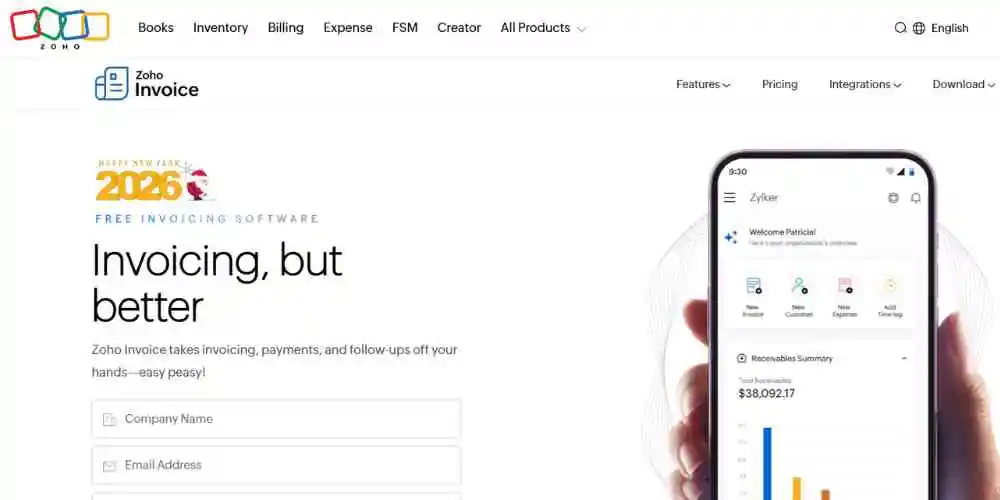
Zoho Invoice

Key Features:

  • Workflow Automation: Create custom rules to trigger emails or status updates.
  • Customer Portal: Allows clients to log in and pay directly, reducing administrative back-and-forth.
  • Expense Tracking: Scan receipts and automatically attach them to billable invoices.

Visit Site

2. ZipBooks

ZipBooks is “smarter” accounting software, and it really is! It uses special machine learning technology to give you helpful insights. It does a great job with basic invoicing, and its smart features act like a financial helper for your business. 

This free invoicing software looks at your data to give you a “Business Health Score” and tips on making your cash flow better. When it comes to invoicing, it picks up on your habits to suggest tags and categories, making things quicker for you. The free “Starter” plan has enough features to work well for most freelancers and solo business owners.
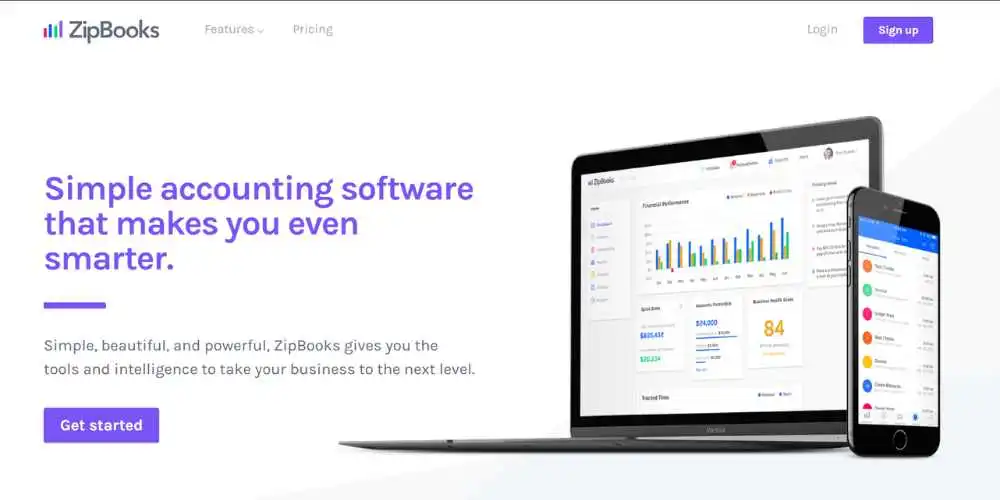
zipbooks

Key Features:

  • Business Health Score: AI-driven insights into your financial performance.
  • Smart Tagging: Learns your categorization habits to automate bookkeeping.
  • Unlimited Invoices: Send as many as you need on the free plan.

Visit Site

3. Wave

Wave is a favorite tool for freelancers because its invoicing and accounting services are totally free (they earn money from payment fees). Wave acts like a helper for regular billing. Once you set up a recurring invoice, Wave handles everything. It creates the invoice, sends it to your client, and, if allowed, can even bill their credit card automatically. 

Plus, it updates your accounting info right away, so your bookkeeping is done as soon as the invoice goes out.
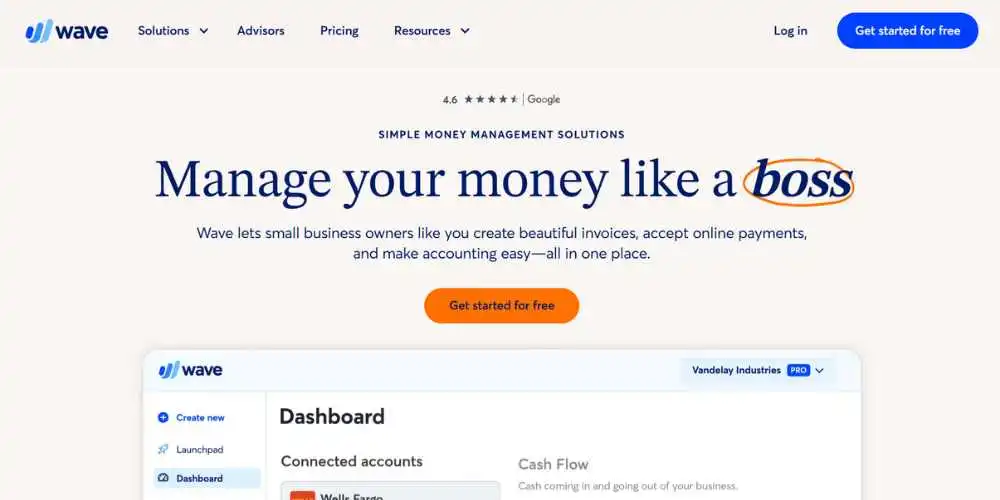
wave

Key Features:

  • Recurring Billing: Set it and forget it automation for repeat clients.
  • Instant Sync: Invoices automatically update your accounting records.
  • Payment Processing: deeply integrated payment options (fee-based).

Visit Site

4. Invoice Ninja

If you like technology or prefer free open-source options, Invoice Ninja is a great choice. It has a “Forever Free” plan that’s more generous than you’d expect. With Invoice Ninja, you can set up smart tools to automate tasks. 
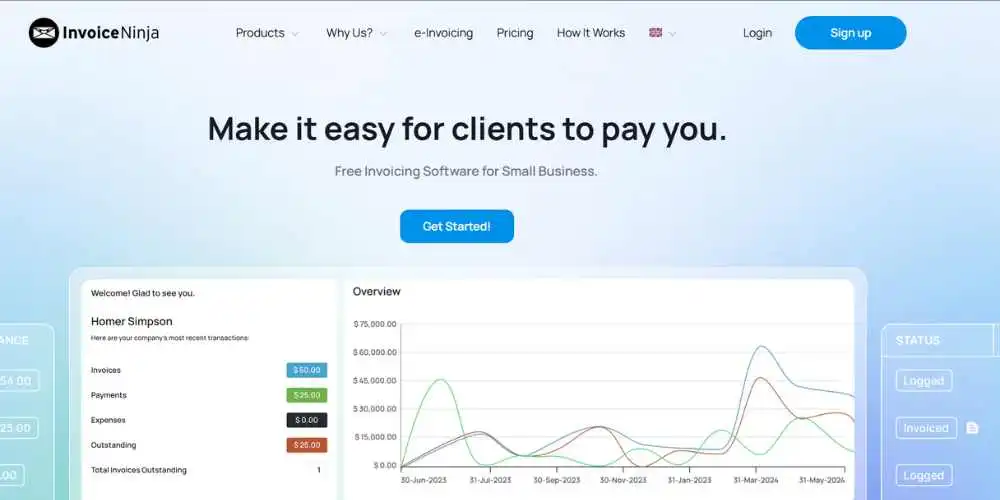
invoice ninja

For example, it can automatically remind clients who are late on payments and even add late fees for you. This way, it acts like your own collections helper, gently reminding clients without you having to send any uncomfortable emails.

Key Features:

  • Late Payment Fees: Automatically add fees to invoices when they become overdue.
  • Client-Side Portal: A professional dashboard for your clients to view history.
  • Project Management: Basic tasks and time-tracking integrated into the invoice.

Visit Site

5. Stripe Invoicing

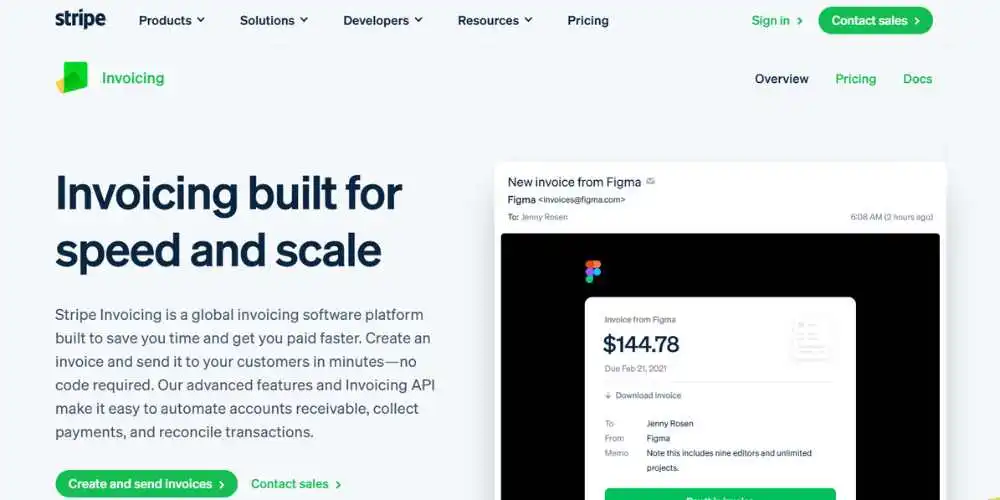
Stripe is a big player in online payments, and its invoicing tool is super smart thanks to machine learning. There’s a small fee whenever an invoice is paid, but usually, there’s no monthly charge to get started. Stripe has a clever system called “Smart Retries.” 

If a customer’s automatic payment doesn’t go through, this system uses machine learning to figure out the best time to try charging the card again. Plus, it takes care of tricky global taxes by automatically figuring out the right tax for each invoice.
stripe invoice

Key Features:

  • Smart Retries: AI-powered payment recovery system.
  • Automated Tax: Calculates and collects the correct sales tax/VAT automatically.
  • Reconciliation: Automatic matching of incoming bank transfers to invoices.

Visit Site

Comparison of Free Invoicing Agents in 2026

FeatureZoho InvoiceZipBooksWaveInvoice NinjaStripe Invoicing
Best ForCustom WorkflowsFinancial InsightsRecurring BillingOpen Source / DevelopersPayment Recovery & Tax
Free TierForever FreeStarter PlanFree SoftwareForever FreePay-per-transaction
AutomationWorkflow RulesAuto-categorizationRecurring InvoicesLate Fee Auto-addSmart Retries (ML)
Mobile AppYesiOS onlyYesYesDashboard App

Automate Your Cash Flow Today!

The aim of using AI and automation isn’t just to be fancy; it’s to get paid quicker and easier. Whether you want personalized workflows with Zoho or smart insights with ZipBooks, there’s a free tool to make billing simpler. 

Stop spending your Friday nights tweaking PDFs. Try one of these tools and let it handle the follow-ups for you.


Similar Posts

Can You Put Aqua Affinity on a Pickaxe in Minecraft?
Finding the Right Professional Matchmaking Services in Los Angeles
What Do Armadillos Eat in Minecraft (And Why It Matters)
Share This Article
Facebook Whatsapp Whatsapp Email Print
ByAlex Marz
CEO Of ItsEasyTech - A Real Newbie Learning To Be A Successful Tech Guide. Loves Tech And Gadgets.

Read More

How to Set Spawn Point in Minecraft PC (Easy Steps)
June 18, 2026
How to Turn On Keep Inventory in Minecraft Java
June 18, 2026
Can You Put Aqua Affinity on a Pickaxe in Minecraft
Can You Put Aqua Affinity on a Pickaxe in Minecraft?
June 18, 2026
best matchmaking apps for couples
Finding the Right Professional Matchmaking Services in Los Angeles
June 18, 2026
What Do Armadillos Eat in Minecraft
What Do Armadillos Eat in Minecraft (And Why It Matters)
June 18, 2026
Is Telegram Anonymous
Is Telegram Anonymous? The Honest Answer Most People Don’t Expect
June 18, 2026
How ToSocial Media

How to Record a WhatsApp Call on Android

How to Record a WhatsApp Call on Android & iPhone

To record a WhatsApp call, Android users can download third-party screen and audio recording apps from the Google Play Store. iPhone users can use the built-in iOS Screen Recording feature…

Alex Marz
June 1, 2026

Your may also like!

5 Best Apple Carplay Apps To Use

5 Best Apple Carplay Apps To Use in 2026

Alex Marz
April 20, 2026
Best VPNs to use

6 Best VPNs To Use in 2025 (Features, Pros, Cons)

Express VPN
best RARBG Torrent Alternative Sites

10 Best RARBG Torrent Alternative Sites in 2026

Alex Marz
April 11, 2026

Always Stay Up to Date

Subscribe to our Newsletter for Daily Updated Tech Contents!

Find us on Social Media

Facebook Pinterest X-twitter Youtube

© 2026 | ITSEASYTECH.COM. All Rights Reserved.

ItsEasyTech

More from ItsEasyTech

  • About Us
  • Disclamier
  • Privacy & Cookie Policy
  • Terms and Condition
  • Write For Us
Welcome Back!

Sign in to your account

Username or Email Address
Password

Lost your password?