WRITE FOR US
ItsEasyTech
  • Social Media
    • FacebookFacebook
    • SnapchatSnapchat
    Social Media
    We ItsEasyTech will cover social media guides, tips, and how-tos here. Our content is 100% original and based on in-depth research covering Facebook to TikTok…
    Show More
    Top News
    How To Clear Recents on Snapchat
    How To Clear Recents on Snapchat
    April 11, 2026
    TikTok
    Wo Xing Shi Viral TikTok Lyrics  
    January 6, 2026
    find someone on onlyfans
    How To Find Someone On OnlyFans Easily
    February 10, 2024
    Latest News
    Does Facebook Notify When You Save a Photo?
    April 14, 2026
    How to See Deleted Messages in Discord (3 Easy Methods)
    February 3, 2026
    How to Turn One YouTube Video into 10 TikToks/Shorts with AI
    January 8, 2026
    Can Someone See if You Search Their Name on Facebook? (The 2026 Myths vs. Reality)
    January 6, 2026
  • How To
    How ToShow More
    does facebook notify when you save a photo
    Does Facebook Notify When You Save a Photo?
    April 14, 2026
    How to block adult content on iPhone
    How to Block Adult Content on iPhone in 4 Easy Ways
    April 14, 2026
    How to Edit Email Signature Outlook Settings Quickly
    How to Edit Email Signature Outlook Settings Easily
    April 11, 2026
    How to Type the Degree Symbol on a Mac Keyboard
    How to Type the Degree Symbol on a Mac Keyboard
    April 11, 2026
    Why Small Businesses in Kent Are Rethinking How They Handle IT
    Why Small Businesses in Kent Are Rethinking How They Handle IT
    March 17, 2026
  • Reviews
    ReviewsShow More
    The Best Adobe Photoshop Alternatives
    The Best Adobe Photoshop Alternatives That Don’t Slow Your PC
    July 30, 2025
    Protect Your Privacy: The Case for Anonymous Hosting 
    December 11, 2024
    Plaud Note Review Is This the Best Voice Recorder
    Plaud Note Review: Is This the Best Voice Recorder?
    July 15, 2024
    Forerunner 165 review
    Forerunner 165 Review: Garmin’S Budget OLED Running Watch
    March 4, 2024
    best ufo movies to watch
    The UFO Movies to Put on Your Must-Watch List Today
    October 30, 2023
  • Tech Updates
    Tech UpdatesShow More
    Superpro Bushes: The Overlooked Cause of Inconsistent Cornering
    Superpro Bushes: The Overlooked Cause of Inconsistent Cornering
    April 17, 2026
    WHY THE FIRST 5 YEARS OF RETIREMENT ARE THE MOST DANGEROUS
    WHY THE FIRST 5 YEARS OF RETIREMENT ARE THE MOST DANGEROUS
    April 15, 2026
    How to block adult content on iPhone
    How to Block Adult Content on iPhone in 4 Easy Ways
    April 14, 2026
    How to Edit Email Signature Outlook Settings Quickly
    How to Edit Email Signature Outlook Settings Easily
    April 11, 2026
    How to Type the Degree Symbol on a Mac Keyboard
    How to Type the Degree Symbol on a Mac Keyboard
    April 11, 2026
  • Business
    • Cryptocurrency
    Business
    Get the latest news and insights from the world of digital currencies, and stay informed about the financial markets with our easy-to-use tools.
    Show More
    Top News
    Bitcoin Future Cryptocurrency
    Is Bitcoin a Form of Future Cryptocurrency
    January 17, 2023
    finance
    Refinansiering Av Lån Uten Sikkerhet: Is It Possible & How to Do It?
    November 5, 2023
    How to Use AI Tools to Automate Your Daily Workflow
    How to Use AI Tools to Automate Your Daily Workflow
    August 19, 2025
    Latest News
    Business Owners: Key Considerations for Sharepoint Online Search Connectors
    April 11, 2026
    How Custom Software Helps Restoration Companies Grow Faster
    March 25, 2026
    Essential Financial Technologies for Scaling Your Tech Business Internationally
    March 11, 2026
    How to Use ChatGPT to Write SOPs (Plus Free Templates)
    January 8, 2026
ItsEasyTechItsEasyTech
Font ResizerAa
Search
Follow US
© Foxiz News Network. Ruby Design Company. All Rights Reserved.
ItsEasyTech > How To > How to Set Up Your APC UPS: What They Don’t Tell You in the Manual?
How ToTech Updates

How to Set Up Your APC UPS: What They Don’t Tell You in the Manual?

Alex Marz
Last updated: January 14, 2026 9:20 am
Alex Marz
Share
8 Min Read
apc ups
SHARE

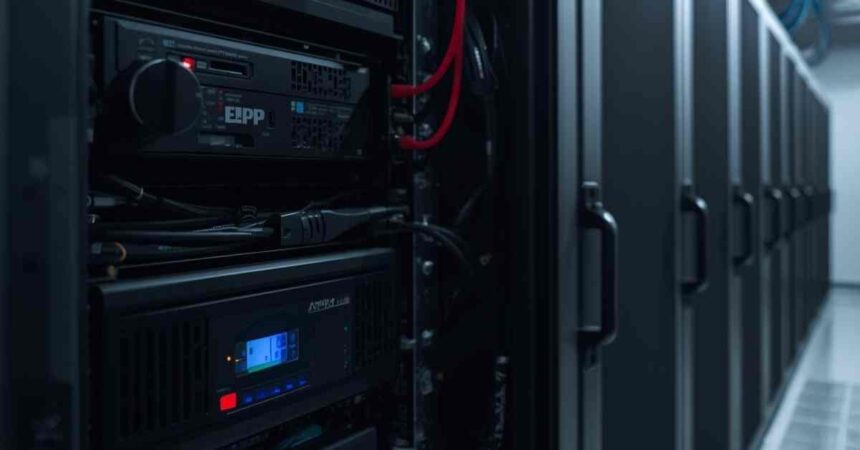
Your new APC UPS arrives with a manual, making setup seem simple: plug it in, connect your devices and finish. The actual process demands far more than those basic steps. 

The difference between a correctly configured system and a rushed setup could mean complete protection or catastrophic equipment failure during the next power outage. 

Contents
  • What to Do First: Pre-Installation Requirements
    • Location Scouting
    • Initial Battery Charge Requirement
    • Calculation of Power Requirements
  • What to Plug In (and What Never to Plug In)
    • Battery Backup Outlets vs. Surge-Only Outlets
    • Essential Devices for Battery Backup
    • NEVER Plug These into a UPS
  • Why Overloading Is the #1 User Mistake
  • Cable Management
  • Initial Configuration and Software Setup
  • The First 30 Days: Break-In and Testing
  • Only Use the Best APC UPS for Your Setup

This guide helps you maximise both protection and battery life from day one.

What to Do First: Pre-Installation Requirements

You need to invest the time to properly prepare to avoid headaches down the road. Then you can be sure your investment is yielding its fullest benefit.

Location Scouting

Heat is the enemy of battery life. Your unit must, therefore, be allowed at least 15cm of space on each side. Also, keep it away from direct sunlight, radiators, or any heat-generating equipment. 

Moreover, opt for hard, flat surfaces in climate-controlled areas.

Initial Battery Charge Requirement

Here’s something most users overlook: charge your UPS for 8-12 hours before first use. The battery ships partially charged, but starting with a full charge establishes proper chemical conditioning. Skip this step and you’ll reduce the overall lifespan significantly. 

Yes, it works straight out of the box, but patience here pays dividends in longevity.

More Read

Superpro Bushes: The Overlooked Cause of Inconsistent Cornering

Calculation of Power Requirements

Add up the wattage of everything you’re going to attach to it. Exact figures can be found on device labels or power adapters, but it is recommended not to operate above 80 percent of your UPS’s rated capacity. Running at maximum load stresses components and drains batteries faster.

If your devices total 800 watts, you need a 1000-watt UPS minimum. Give yourself headroom.

What to Plug In (and What Never to Plug In)

Not all outlets on your APC UPS provide the same protection, and certain devices should never go near the unit at all.

Battery Backup Outlets vs. Surge-Only Outlets

Most models feature two types of outlets. Battery backup outlets keep devices running during outages, whilst surge-only outlets protect without battery support. 

Check your model’s documentation to identify which is which. They’re often colour-coded but not always clearly labelled. Place your most critical equipment in battery-protected outlets.

Essential Devices for Battery Backup

Connect these to battery backup outlets:

  • Desktop computers and servers
  • Monitors (though only if necessary to complete shutdown procedures)
  • Modems and routers to maintain internet connectivity
  • External hard drives actively in use

NEVER Plug These into a UPS

These devices will damage your UPS or drain the battery instantly:

  • Laser printers (they draw massive power spikes that can destroy your unit)
  • Space heaters
  • Hair dryers and other personal care appliances
  • Power strips or extension cords (creates dangerous daisy-chaining)
  • Refrigerators and kitchen appliances

Why Overloading Is the #1 User Mistake

Check your load percentage through the front panel display or software interface. Most units show this as a percentage or visual indicator. Warning signs you’re pushing limits include frequent battery mode switching, reduced runtime, or the unit struggling to support connected devices. 

Following the essential safety criteria by EESS standards means maintaining proper load levels at all times. Overloading doesn’t just reduce battery life but also creates genuine fire risks.

Cable Management

Proper grounding isn’t optional—it’s mandatory for protection to work correctly. Your UPS must connect to a properly earthed three-pin outlet. Those two-to-three-pin adapters? They defeat the entire purpose of having a UPS. Test your outlet with a simple circuit tester before installation.

Use the coaxial and Ethernet ports on your APC UPS that most people ignore. These protect your modem, router, and network equipment from surges travelling through communication lines, which are a common entry point for damage during storms. Improving server performance often comes down to eliminating the micro-interruptions caused by unprotected network connections.

Keep network and signal cables separated from power cables wherever possible. Electromagnetic interference from power lines can degrade data transmission quality. Run them on opposite sides of your desk or use cable management solutions that maintain separation.

Initial Configuration and Software Setup

Download PowerChute from APC’s website and run the installer. The program shuts the computer down by itself when the battery drops to a set level – open files are not lost, and the hard disk is not harmed. It shows the status of the battery, tracks the total outage, and shows how much longer the UPS can continue operating in minutes.

Calculate how long the computer will run on the batteries before automatically shutting down. For instance, if your UPS power backup lasts for fifteen minutes but your task takes five minutes, you will need your software program to switch off your computer after eight minutes.

Schedule monthly self-tests through the software. These automated checks verify battery health and catch problems before they become critical failures.

The First 30 Days: Break-In and Testing

Follow these numbered steps during your first month:

  1. Manually test the unit after the initial charge cycle. Press the test button and see the results. The unit should switch seamlessly into battery mode and support the load for the desired time.
  2. Test how long your actual blackout lasts by simulating one by unplugging your UPS from the power supply while up and running. What you get will last longer than what the manufacturers claim.
  3. Record the actual execution time and program based on that. If you are getting 12 minutes as against the market claim of 20 minutes, program accordingly.
  4. Charge and discharge your battery each month for the first three months. Run on battery power until the warning tone for low battery is given, and then turn on the power.
  5. Observe each test and document the performance so that baseline metrics can be set up for future comparison.

Only Use the Best APC UPS for Your Setup

The configuration choices you make when installing your UPS determine whether your equipment receives genuine protection or just an expensive power strip. Every step outlined in this guide, from placement and cable management to software configuration and break-in procedures, contributes to reliability when power fails.

However, even the perfect setup can’t compensate for choosing the wrong equipment. Using the best UPS for your specific requirements forms the foundation of effective power protection. Consider your actual power needs, runtime requirements, and connected equipment value when selecting a model. Quality equipment properly configured delivers years of reliable service and genuine peace of mind.

Don’t settle for adequate when superior protection is within reach. Invest in the right APC UPS for your situation and configure it correctly from the start!


Similar Posts

WHY THE FIRST 5 YEARS OF RETIREMENT ARE THE MOST DANGEROUS
Does Facebook Notify When You Save a Photo?
How to Block Adult Content on iPhone in 4 Easy Ways
Share This Article
Facebook Whatsapp Whatsapp Email Print
ByAlex Marz
CEO Of ItsEasyTech - A Real Newbie Learning To Be A Successful Tech Guide. Loves Tech And Gadgets.
Leave a Comment Leave a Comment

Leave a Reply Cancel reply

Your email address will not be published. Required fields are marked *

Read More

What do the llamas in Minecraft Eat
April 14, 2026
How to Get to Undermine in WoW: The War Within Guide
February 11, 2026
Superpro Bushes: The Overlooked Cause of Inconsistent Cornering
April 17, 2026
WHY THE FIRST 5 YEARS OF RETIREMENT ARE THE MOST DANGEROUS
April 15, 2026
does facebook notify when you save a photo
Does Facebook Notify When You Save a Photo?
April 14, 2026
What do the llamas in minecraft eat
What do the llamas in Minecraft Eat
April 14, 2026
GamesGTA

Quick Guide: How To Use Parachute in GTA 5

How To Use Parachute in GTA 5

Grand Theft Auto (GTA) is a franchise that most of us have heard of, if not played. With over 120 million copies sold worldwide, GTA 5 is the second best-selling…

Alex Marz
April 11, 2026

Your may also like!

Best AI Video Creation Tools in 2026 for Effortless Content

Best AI Video Creation Tools in 2026 for Effortless Content

Alex Marz
March 19, 2026
iMini vs Sora AI

Is “iMini AI” Better Than Sora? (Honest Review & Best Alternatives)

Alex Marz
January 21, 2026

ChatGPT Search vs. Perplexity vs. Google: The Battle for Best AI Search

Alex Marz
January 16, 2026

Always Stay Up to Date

Subscribe to our Newsletter for Daily Updated Tech Contents!

Find us on Social Media

Facebook Pinterest X-twitter Youtube

© 2026 | ITSEASYTECH.COM. All Rights Reserved.

ItsEasyTech

More from ItsEasyTech

  • About Us
  • Disclamier
  • Privacy & Cookie Policy
  • Terms and Condition
  • Write For Us
Welcome Back!

Sign in to your account

Username or Email Address
Password

Lost your password?